Enfocus
select your region |  EskoArtwork |  sitemap |  cart  |  search
Home < What's new in PitStop Pro 09?
Print Page


                         Optimized user interface         Customized workspace           Global Changes    
   
                         Design layout tools                 New preset manager              Certified PDF 2 compatible


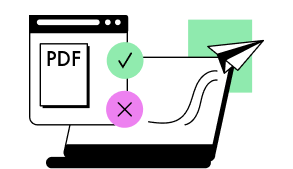
Less and less time is available to check and fix incoming PDF files.

PitStop Pro 09 is built to tackle the problems you face on a
daily basis
. It makes frequent tasks easier to handle and
quicker to perform.


Work smarter, not harder!
    

Optimized user interface

Toolbars, menu items and panels are well organized and work together more smoothly
as before in order to make you work more efficiently.

Hide the PitStop Pro 09 tools when you are working with other Adobe Acrobat functionality
and let them re-appear in your customized workspace at just the click of a button.


Completely customized workspace

In order to focus more on how you use the wide range of editing tools in your daily work,
PitStop Pro 09 enables you to set up different workspaces.

Each workspace lets you configure exactly which tools and panels you want to see.


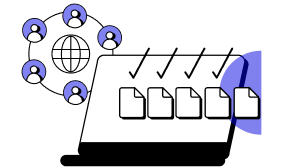
Apply document wide changes in seconds

PitStop Pro 09 has a redesigned enhanced Global Change engine.
Making document wide changes is easier than before.

- Save different versions of Global Changes with predefined settings
   
- Create shortcuts to your favorite Global Changes
   
- Imagine being able to apply stamps, insert cover pages, renumber pages,
  convert all colors,... in just seconds.


Powerful design layout tools

Checking trim and bleed sizes, safety margins and more has never been this quick and easy.
Visualize existing page boxes and safety zones and apply proper page boxes and printer
marks instantly!


Manage your settings more consistently

The brand new preset manager manages all presets (preflight profiles, Action Lists,
Global Changes, workspaces,...) in a consistent manner. You can even use favorites to link
to frequently used presets, and quickly filter the list using a search field.


Certified PDF 2 compatible

Certified PDF 2 allows you to check a document and embed the preflight results
in the XMP metadata
for the actual file. This enables you to track who checked and who
checked and edited the document. 


Discover more about PitStop Pro 09


© 2010 Enfocus NV. All rights reserved
Trademark information     Online Privacy Policy    contact