Switch Core Engine enables powerful file management such as sorting, routing and tracking of files. Every company is confronted with these kinds of tasks on a daily basis. Automation gives them the ability to reduce errors and standardize procedures, which will reduce costs.
The Switch Core Engine also enables PDF-specific handling like split and merge PDF files. To lift your workflow to an intelligent level, Switch enables you to use the information already available in jobs to make routing decisions for example based on file naming conventions, the number of pages or colors, etc..
When a business is ready and able to start automating more complex operations, Enfocus offers a whole range of modules. (link to overview)
For your integration requirements:
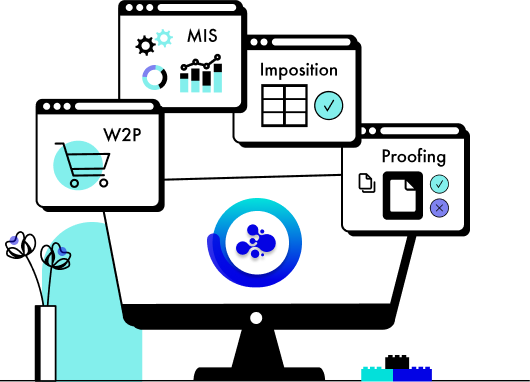
Enables integration, control and automation of the most popular 3rd party (Enfocus Crossroads* partner) applications in the graphical industry. Building solutions for preflight, imposition, color management and many more is a breeze with those ready to use configurators.
You are able to use the tools you are already using today or you feel free to choose the tools that suits your needs best.
For those with specific needs, Switch offers the necessary tools to integrate in a very effective way, through hot folders, CLI or scripting.
The Database module for Switch automates the communication between a database application and Switch.
This module makes database integration accessible to more integrators and customers by allowing them to:
- Use values from a database wherever Switch can use variables.
- Read, write, update and delete info in databases whenever a job passes the new "Database connector" flow element.
- Visualize content straight from a database in SwitchClient and PitStop Connect.
Much like the database module, this module enhances workflow intelligence by using existing information stored in XML or JDF tickets or as XMP data.
- Use metadata wherever Switch uses variables, for example to route files or process jobs dynamically.
- Update or add information in XMP packages.
- Visualize variable content in SwitchClient and PitStop Connect.
By reusing this information Switch enables you to get the most out of previous investments and personalize your service to customers
Enables Switch to take advantage of custom-developed Visual Basic Scripts, Java Scripts or AppleScripts. A separate SwitchScripter application is provided to assist the user in the development and debugging of scripts. This module literally makes the sky the limit as it gives you to freedom to completely customize your workflow to your needs.
SwitchClient Module is a separate desktop application that is used to submit jobs into Switch flows, and is used to interact with jobs where required.
The SwitchClient Module comes with 5 SwitchClient licenses, enabling 5 separate SwitchClients to run and access Switch simultaneously. Additional clients can be purchased.
More information on SwitchClient and the app for SwitchClient.
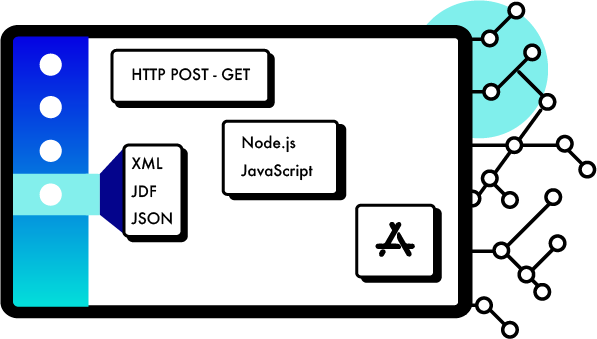
This module enables 3rd party applications such as web portals to integrate and drive Switch. Improve customer service by allowing your customers to submit files straight from a familiar environment like your company website. It enables them to track and approve jobs directly in Switch without having to leave the comfort zone of your company website.
More information on the Switch Web Services Module.
Users and their IT departments can count on extra peace of mind through SwitchProxy. This proxy server ensures network security and business continuity: clients can always deliver data to your company's server even while it is being maintained or updated.
What's new in Switch 11 update 4
Web Services Module
The sample that is delivered with the Web Services Module has been reorganized and improved to make it easier for integrators and users to re-use the sample code for their own purposes.
- Documentation includes a Step-by-step installation guide for Mac OS X and Windows.
- Easier to (re-)use file-structure.
- Editable settings file to customize the sample.
Archive hierarchy
The Archive hierarchy tool now allows an outgoing connection. This means that you can first archive your files and only afterwards email a notification to internal operators, CRM’s, etc. Or you can make sure the files are stored in the internal Archive before uploading them to an FTP Server and making them available for externals.
The outgoing connection is a traffic-light connection, which means that you can fail files that were not properly stored in the archive and possibly automatically inform the administrator or IT person about this problem.
Execute command tool
The “Execute command” tool has a new property called “Execution mode” which can be set to “Concurrent”. By selecting this option, it is possible to process jobs simultaneously through multiple instances of the Execute Command tool when the same application is selected. Off course this application needs to support concurrent processing.
The default remains “Serialized” which is the same behavior as in previous versions.
Note: the number of concurrent processes is limited by the preference “Concurrent processing tasks” on the Processing tab.
Calculate variables
A new Switch variable “Calculation” is available in the Switch variables group. The feature allows you to use variables (that are by default treated as text in this panel) to do calculations.
The following example returns the page size (width x height) in mm with a rounding after calculation of 1 decimal.
It is also possible to manually enter this syntax while selecting other variables, meaning that you can do calculations on variables that result in a number anywhere in Switch where you have access to the variables pane.
Crash Reporter
If a crash is caused in Switch, the new crash reporter will allow you to send a detailed crash report to Enfocus automatically. Please add your email address and description of what you were doing (including OS and version information) to the appropriate field so that we can continuously improve our software.
Switch Configurator SDK / Switch Scripter
The Switch Configurator SDK now allows Crossroads Partners to write their own upgrade scripts. This is especially important when developing a new configurator which replaces an existing one and requires to update the flows and settings of the configurator.
Updated Configurators
PitStop Server
- Support for the newly released PitStop Server 11 update 2.
- Support for the new report type "Scaled Low Resolution Annotated Report”.
- Support for a new report language: Polish.
WoodWing Enterprise
- Support for WoodWing Enterprise 8.
- The new option “Current” when selecting an “issue” allows you to dynamically select the issue that is set as the current issue in WoodWing Enterprise. This option was added to both the Upload and Download configurator.
- You can now set the status to “next” which replaces the option “default”. This change was implemented to fit better in the terminology used in WoodWing.
- Support for Dossiers and Child objects (children and grand-children) was added to the WoodWing Enterprise Download configurator. When downloading Child objects, you can choose to include the parent or not.
Ultimate Impostrip OnDemand configurator
A new configurator supporting the Automation version of ImpoStrip OnDemand.
Stuffit Deluxe configurator
Support for Stuffit Deluxe 15
HP Digital Front End JDF Control configurator
- HP has enhanced its HP Digital Front End JDF Control configurator (now version 1.5) to allow users to drive all JDF settings through variables or script expressions for better automation of workflows.
- Added additional JDF capabilities such as multiple substrate selections, banner and divider sheet selection; retain time, jogging and the ability to drive PPML assets with external assets in a ZIP package.
- Defaults have been set in the configurator to make initial setup of workflows easier.
- Additional tooltip information describes the possible values for each feature to make automation clearer.
- Files will be send to the problem jobs folder when the Asset File location can’t be found.
Elpical Premedia Server configurator
It's now possible to run the Claro Server on another server than Switch. You can configure this through the following settings:
- Claro Preferences path : if Claro is detected on the same server, this path points to the local ClaroPreferences.xml, otherwise the full network path of the ClaroPreferences.xml on the remote Claro server must be entered.
- Folder for return jobfiles : If Claro runs on another server, the jobs are returned in a shared folder.
Axaio MadeToPrint InDesign, InDesign Server and Illustrator configurator
The configurator changed to ensure that the jobs stay in the process queue until they are finished and to give the user a better overview and progress bar.
What's new in Switch 11 update 3
Newly supported operating systems
Mac OSX 10.8.x (Mountain Lion)
Microsoft Windows 8
Microsoft Windows Server 2012 Standard, Essentials or Foundation Edition (64-bit running in 32-bit mode)
Virtual Machines (e.g. VM ware)
Acrobat XI
Added support for version Acrobat XI to the Adobe Acrobat configurator (including CS6 Cloud)
Hold Job
Added the “Release condition” property to the Hold job element. This allows you to use information from Switch variables, Job Tickets or a database to define when to release a file to the next step in your Switch flow. It is even possible to use the value coming from Script expression. Important to note is that some of these options only become available if you have the relevant Module activated.
New features in Switch 11 update 2
PitStop Server configurator
Added the possibility to set a unit for length variables in a variable set.
How?
- On the PitStop Server Configurator, select the “Select variable set” option from the “Variable set” property.
- Edit the variable set and choose the variable you want to change.
- Make sure the type matches “Text With Variables” and “Length” to enable the “Unit” option.

Adobe configurators
- Support for CS6.
- Support for 64-bit version of Photoshop.
- Support for Acrobat X on Windows.
- The InDesign, InDesign Server and Illustrator configurator now have outgoing traffic light connections. This means that if a job fails, e.g. it was not possible to relink the images or find all used fonts, the job goes through the error connection. If there is no error connection, the job will go to the “Problem jobs” folder.
- The Photoshop configurator now allows to select actions through the variables and script expression property editors.
Database
- Enhanced support for MsSQL
SwitchClient
- Added the possibility to import & export custom filters to allow sharing filters between different users of SwitchClient.
- Added conditions to set dependency values for metadata in SwitchClient.

Web Services Module
- New online sample available allowing you to try out what is possible with Switch WebServices: seeswitch.enfocus.com.
- New customizable PHP sample that includes the building blocks ready to be used within your implementation/website.
- Enhanced and expanded documentation.
New features in Switch 11, update 1
Enfocus announced the release of Switch 11 update 1 with new functionalities to make your workflow smarter & more efficient than ever.
Smart Automation meets Smart Preflight & Correction
Switch 11 update 1 includes a new version of the PitStop Server configurator, compatible with the newly announced PitStop Server 11.
It enables Smart Preflight & Correction in PitStop Server 11 using any of the variables available in Switch, including SQL databases, XML and JDF job tickets, embedded XMP values, private data variables created with the scripting API and all of Switch’s built-in variables.
For example, you can check if an incoming file matches the specifications for that job in your order system, or alternatively whether it corresponds to the information entered on your website by the customer when uploading the job. Using the new rule-based variables, it’s possible to translate those values into real preflight checks – this new functionality is huge and unique in workflow automation.
Extend Switch to remote internet users
Intelligently connecting customers and remote resources with employees and internal workflows is vital to ensure business processes are efficient and effective.
The Web Services Module enables any web browser to become the front-end to a Web-to-Print portal, a document or digital asset management system or any other process automated by Switch.
Any file type can be uploaded into Switch-based workflows for additional processing or format conversion, automated routing and distribution to relevant workgroups or individuals, output to internal print queues, archival purposes or even delivery to another location or provider.
New configurators make your life easier
Esko Automation Engine
Switch has been designed from the beginning to be a complementary and vendor-neutral automation solution, allowing users to do more with their existing technology investments and workflow solutions.
With this new configurator, files can be picked up by Switch, processed as required by any of Switch's many tools and other Crossroads partners' configurators, and delivered into an Automation Engine Job without operator intervention.
To achieve this goal the configurator offers different ways to find a matching Automation Engine job. Combined with the ability to chain those different ways it provides maximum flexibility in automating the process of assigning incoming artwork to a print job.
The new configurator also supports the unattended initiation of Automation Engine workflows upon the delivery of a production file with an accompanying XML job ticket by Switch. The job ticket is picked up by the Automated Job Creation Module of Automation Engine, which ensures flawless execution of the job.
For example: a print buyer places 'chocolate gift box.zip' containing an Illustrator file on an FTP server monitored by Switch and the result in Automation Engine is a preflighted and color-corrected PDF file. We are also very excited about formally joining the Switch community soon as a Crossroads Application Partner.
Esko is also very excited about formally joining the Switch community soon as a Crossroads Application Partner.
Updated Microsoft Word configurators & HP configurators
Switch 11 update 1 includes new configurators for the world's most popular text editor. Users can automate file processing in Microsoft Word 2010 (Windows) or 2011 (Macintosh) and convert all supported Word documents to PDF, rtf, txt, html, doc and docx at blazing speeds.
Next to already available HP SmartStream solution configurators, the HP Digital Front End JD Control Configurator was enhanced. It now enables building even more intelligent workflows by using Switch metadata.
Microsoft Word on Crossroads
HP SmartStream Designer on Crossroads
System requirements
Switch:
Mac : Intel only
Dual Core processor (Quad Core recommended)
Minimum 2GB of RAM (4GB recommended)
1024x768 screen resolution
Switch Client
Minimum 256MB of RAM (512MB recommended)
1024x768 screen resolution (1280 x 1024 recommended)
Switch Proxy
Minimum Dual Core processor
Minimum 2GB of RAM
Supported operating systems
- Microsoft® Windows® XP SP2 Professional or Home Edition
- Microsoft® Windows® 7, Home Premium, Business or Ultimate Edition
- (32-bit and 64-bit, running in 32-bit mode)
- Microsoft® Windows® 8 Standard or Enterprise Edition (32-bit and 64-bit, running in 32-bit mode)
- Microsoft® Windows® 2003 Server Standard or Enterprise Edition (32-bit and 64-bit, running in 32-bit mode)
- Microsoft® Windows® 2008 Server R2 Standard or Enterprise Edition (64-bit, running in 32-bit mode)
- Microsoft® Windows® 2012 Server (64-bit, running in 32-bit mode)
- Mac OS® X 10.6
- Mac OS® X 10.7
- Mac OS® X 10.8
- Including Virtual Machines