How PitStop Supports Wide and Large Format Production

Wide and large format production comes with its own set of challenges. Beyond managing large file sizes, teams must handle finishing requirements such as grommets and hemming, prepare accurate cut paths, and ensure files are production-ready before they reach the RIP.
PitStop Pro helps streamline and standardize these steps. It reduces manual effort, minimizes errors, and ensures consistent output across your workflow.

Preparing Banners for Finishing
Placing grommets
Banners typically require grommets so they can be mounted or stretched on site. Manually positioning them can be time-consuming and inconsistent.
PitStop simplifies this with ready-to-use automation:
- The “Add grommets” Action List allows you to place them quickly and accurately
- You can easily customize spacing, positioning, and patterns to match your production needs
This ensures consistent placement while reducing repetitive manual work.
Adding hems for durability
When grommets are added, they can introduce weak points in the material. To prevent tearing, banners typically include hems, edges that are folded and welded or sewn.
PitStop helps you:
- Extend banner edges precisely
- Prepare documents so finishing steps can be executed reliably
This ensures your output is not only visually correct, but also structurally sound.

Handling irregular shapes
Not all banners are rectangular. Custom shapes often require grommets to follow complex outlines.
With PitStop you can:
- Use “Distribute along a path”
- Define any path as a reference
- Repeat objects (like grommets) consistently along that path
This allows you to support custom designs without adding manual complexity.

Preparing Files for Digital Cutting
Once the design is ready, the next critical step is ensuring cut paths are clean, compliant, and optimized for production.
Creating cut lines
PitStop provides powerful tools to generate precise cut paths:
- The Trace feature can convert artwork into vector outlines
- Combined with “Add bleed around contour”, it enables clean and production-ready designs

These tools are especially valuable for creative applications like contour-cut graphics or custom-shaped prints.
A good demonstration of that power is the “MiniMe” project that Enfocus has showcased throughout the years.
Ensuring cut lines meet production requirements
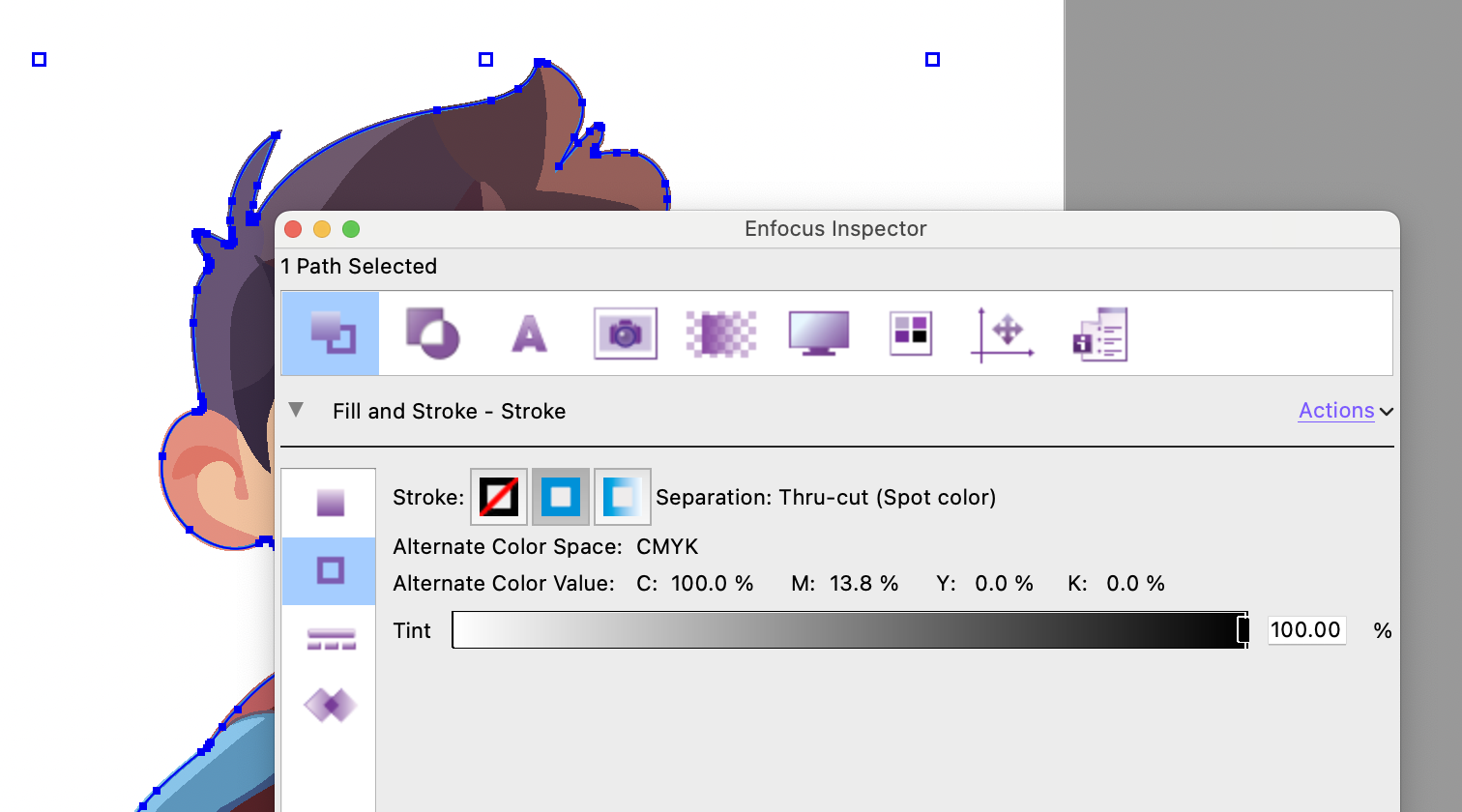
Cut lines must follow strict rules to be interpreted correctly by cutting devices. Typically, they must:
- Be vector paths (not filled shapes)
- Use a spot color
- Be set to overprint
- Have no fill and no overlapping elements
In practice, incoming files often fail to meet these requirements.
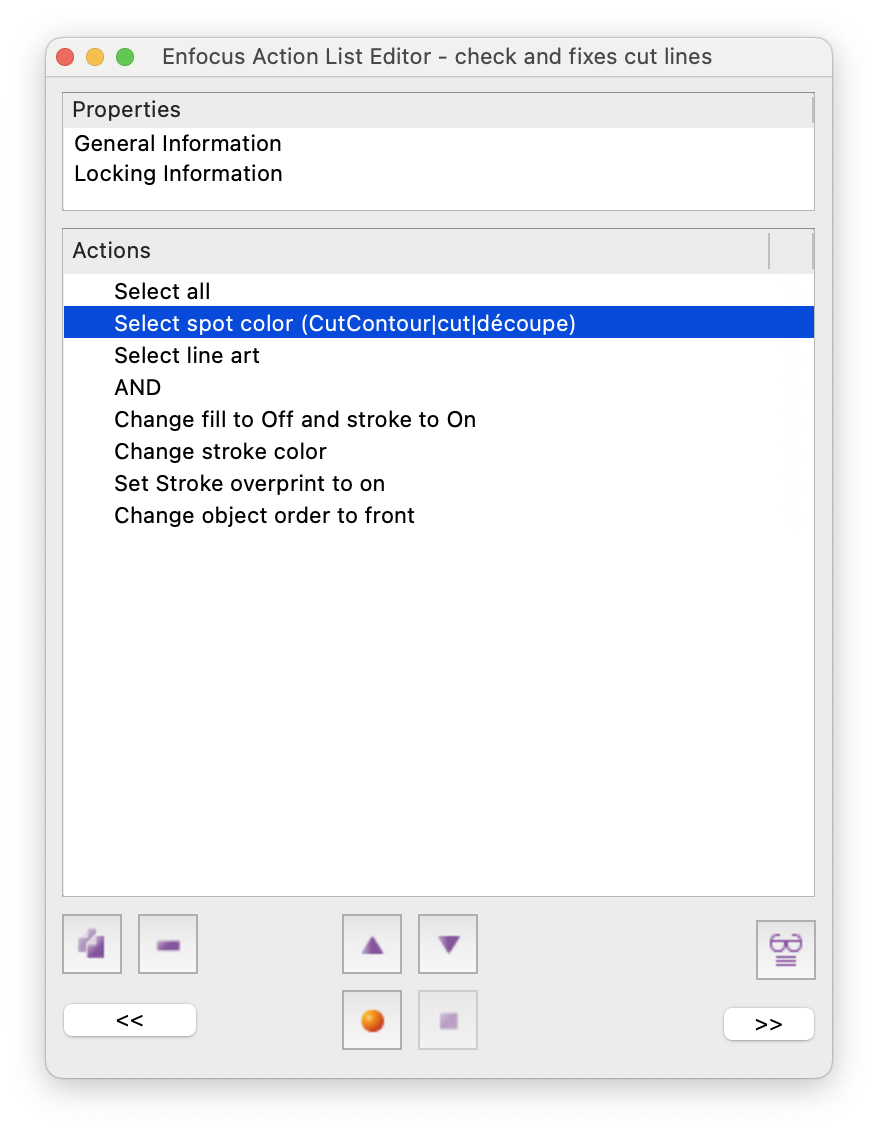
PitStop helps by:
- Inspecting properties using the Inspector
- Automating checks and corrections with Action Lists or Preflight Profiles
This reduces the need for manual troubleshooting and prevents production errors.
Optimizing cut lines for performance
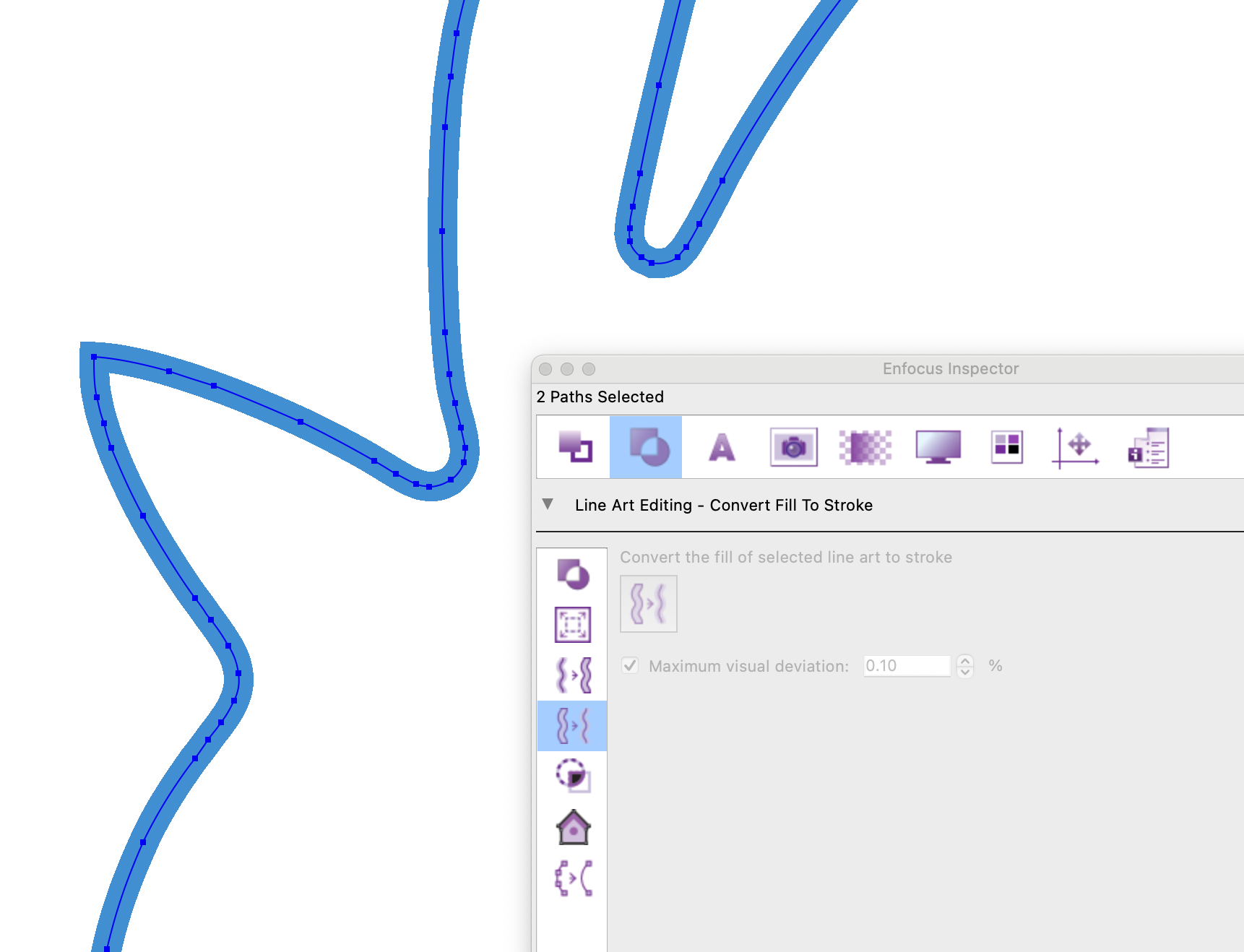
Converting shapes back to paths
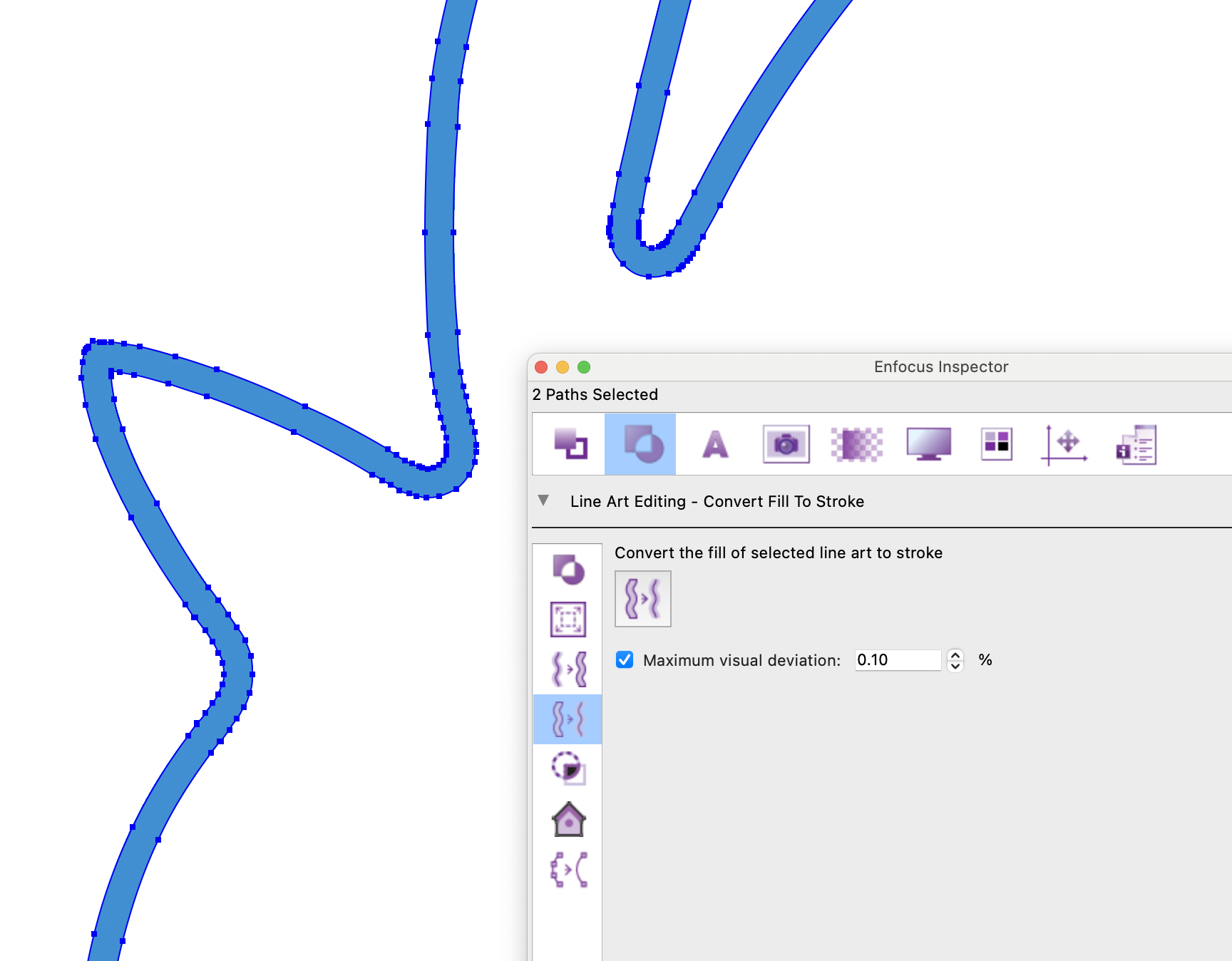
A common issue occurs when cut lines are converted into shapes (for example, due to stroke alignment settings in design tools). These shapes are not usable for cutting.
PitStop resolves this with the “Fill to Stroke” feature, which restores usable vector paths
This ensures files can move forward in production without rework.
Reducing complexity
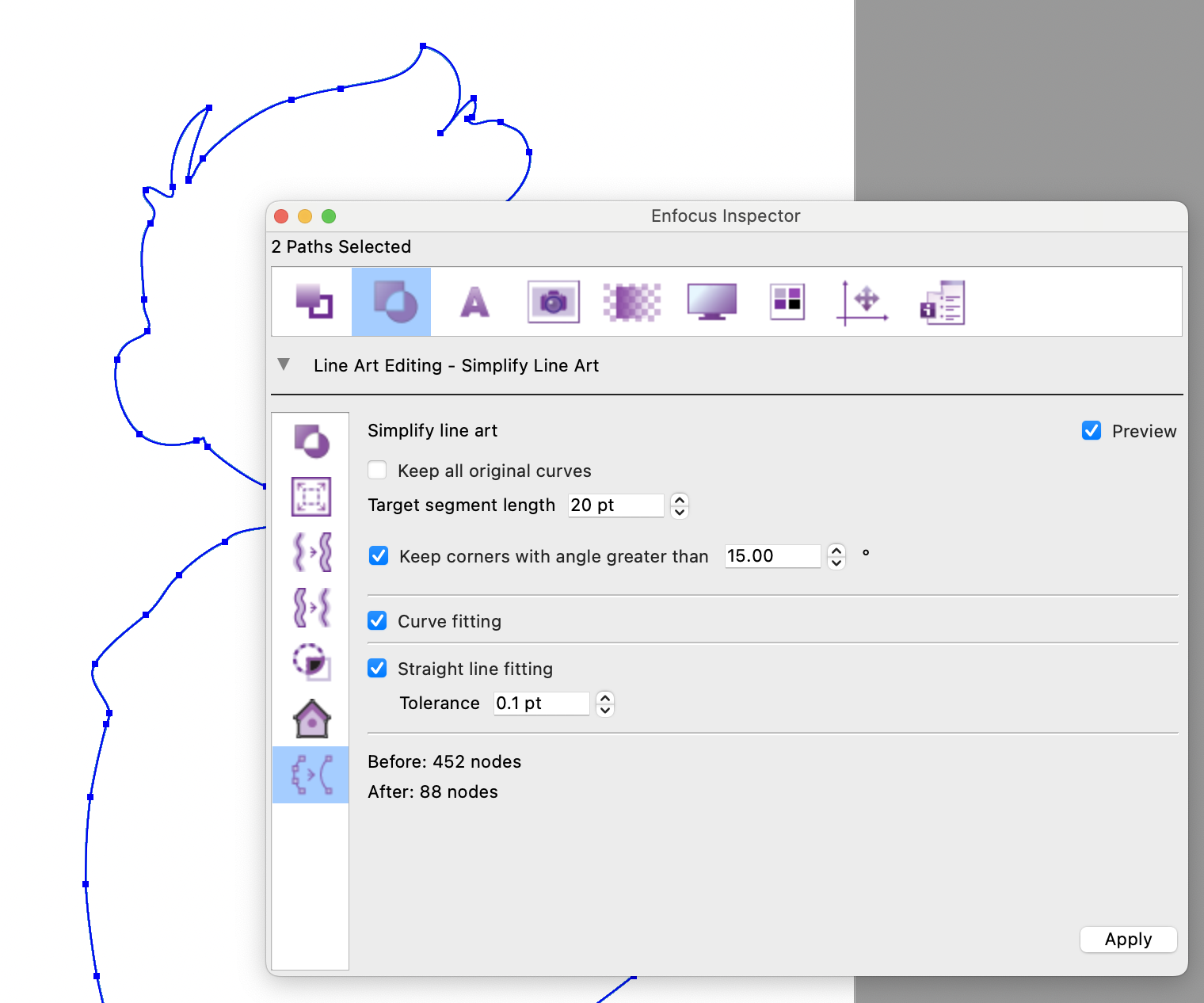
Overly complex paths with too many nodes can:
- Slow down cutting devices
- Introduce inaccuracies
With “Simplify line art”, PitStop can:
- Reduce node count significantly
- Maintain shape accuracy while improving performance
Result: faster, more reliable cutting.
Supporting Processing Steps
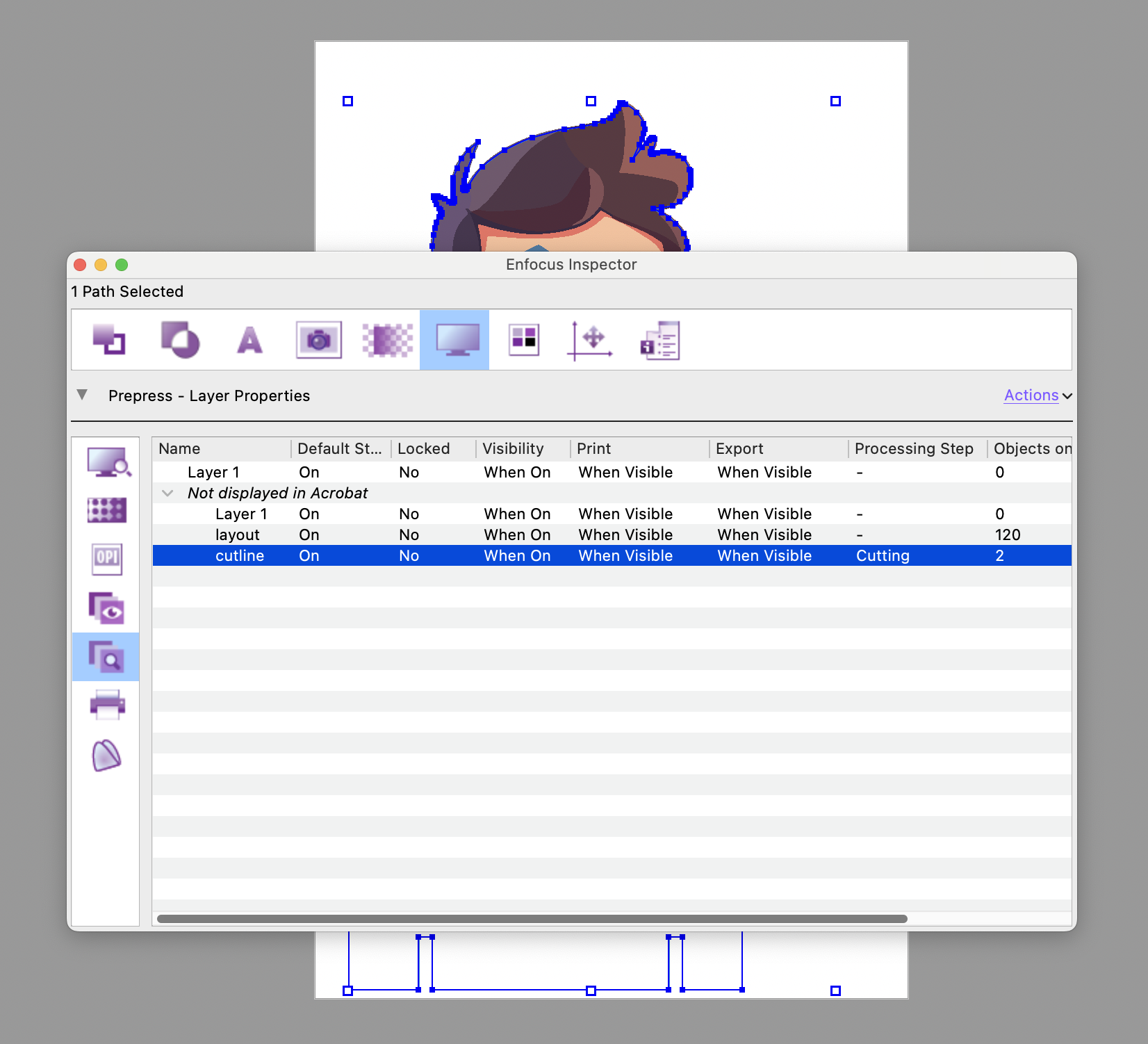
Processing Steps (ISO standard) allow production elements, such as cutting, varnish, or finishing, to be defined using layer metadata.
Although adoption is still evolving, PitStop already enables you to:
- Preview Processing Steps layers’ settings
- Validate layer intent
- Apply them within your workflow
This helps future-proof your processes and align with emerging standards.
Preflighting Wide Format Files
Before sending files to production, ensuring they meet print requirements is critical.
Using the GWG standard profile

PitStop includes the “GWG_Wide_Format_Print_2022” preflight profile, developed with the Ghent Workgroup.
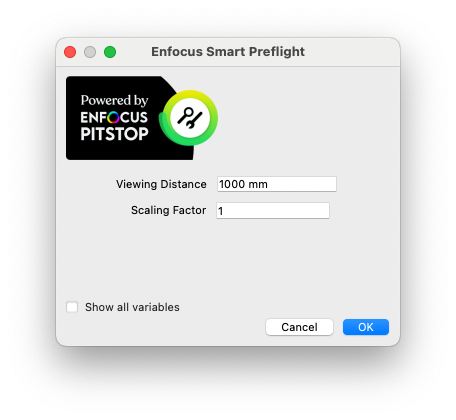
When running this profile, two key parameters are considered:
Viewing distance
- Determines required image resolution
- Closer viewing = higher resolution needed
- Distant viewing = lower resolution acceptable
Scaling factor
- Defines how the file should be resized at output
- Ensures correct final dimensions during printing
This allows preflight checks to reflect real-world usage conditions.
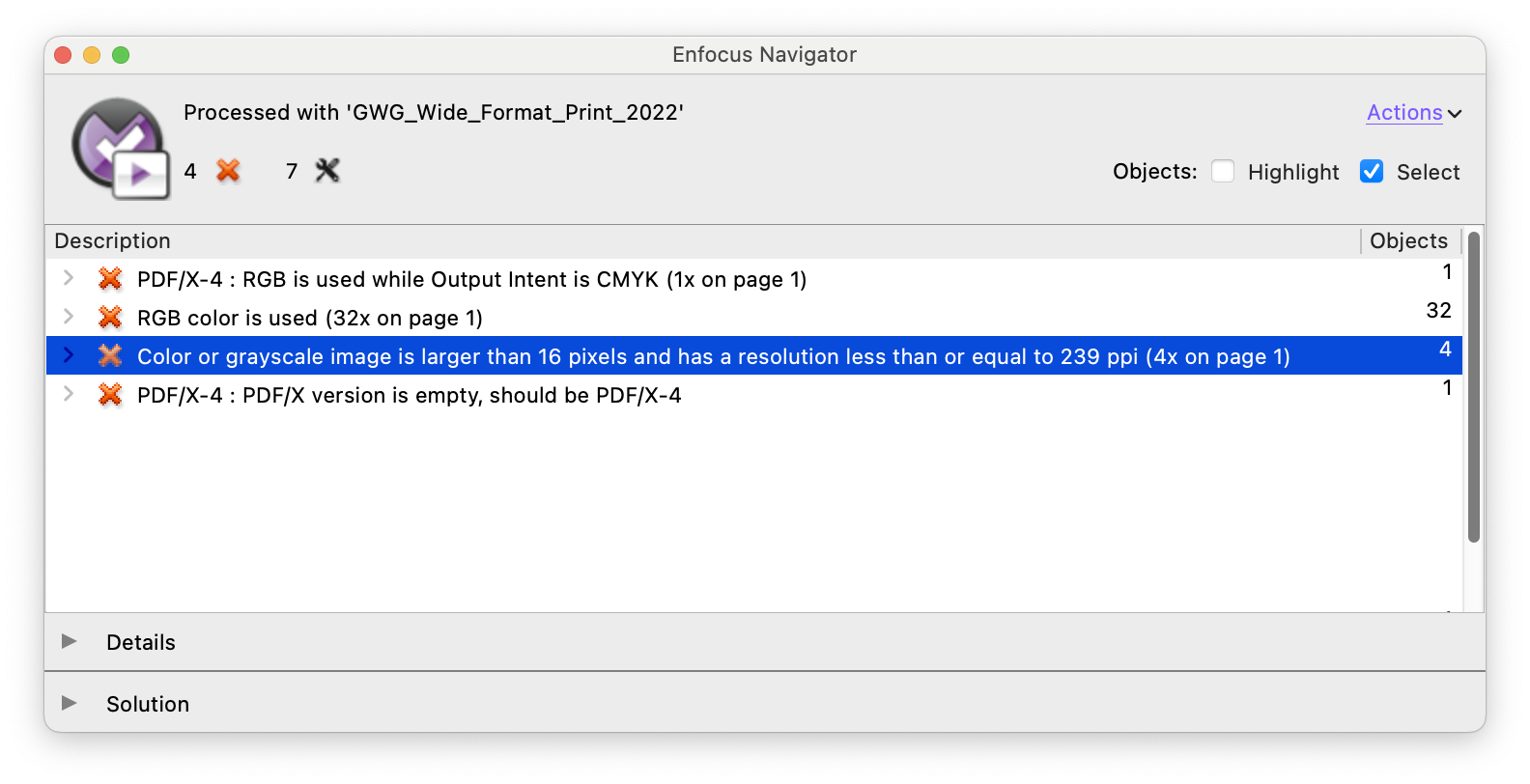
When print is 1m away,
resolution is too low
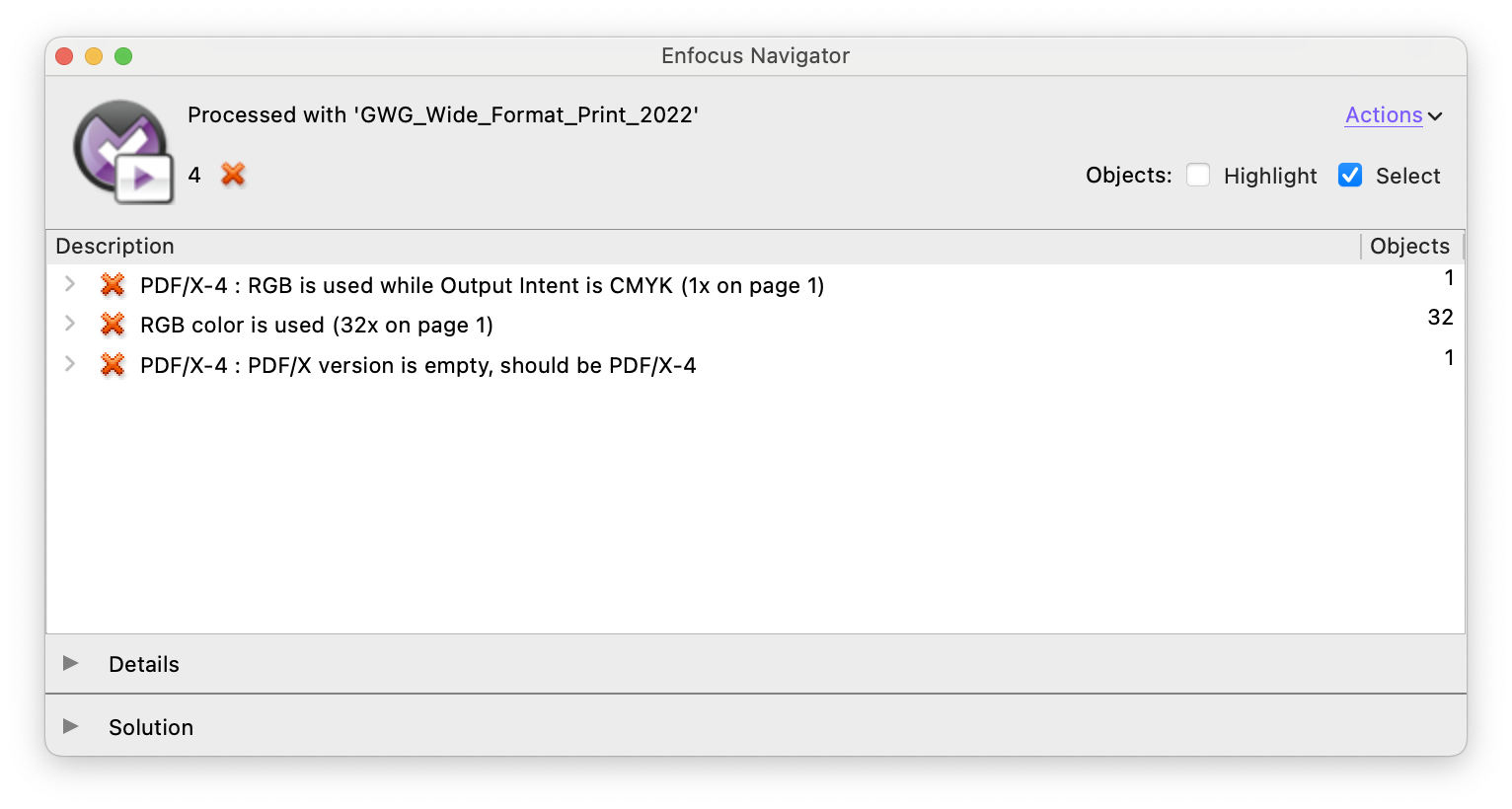
When put 20m away,
resolution is no longer a concern
Creating custom preflight profiles
You can also tailor preflight profiles to your specific workflow.
Best practice:
- Start from an existing standard profile
- Extend it with your own checks and fixes
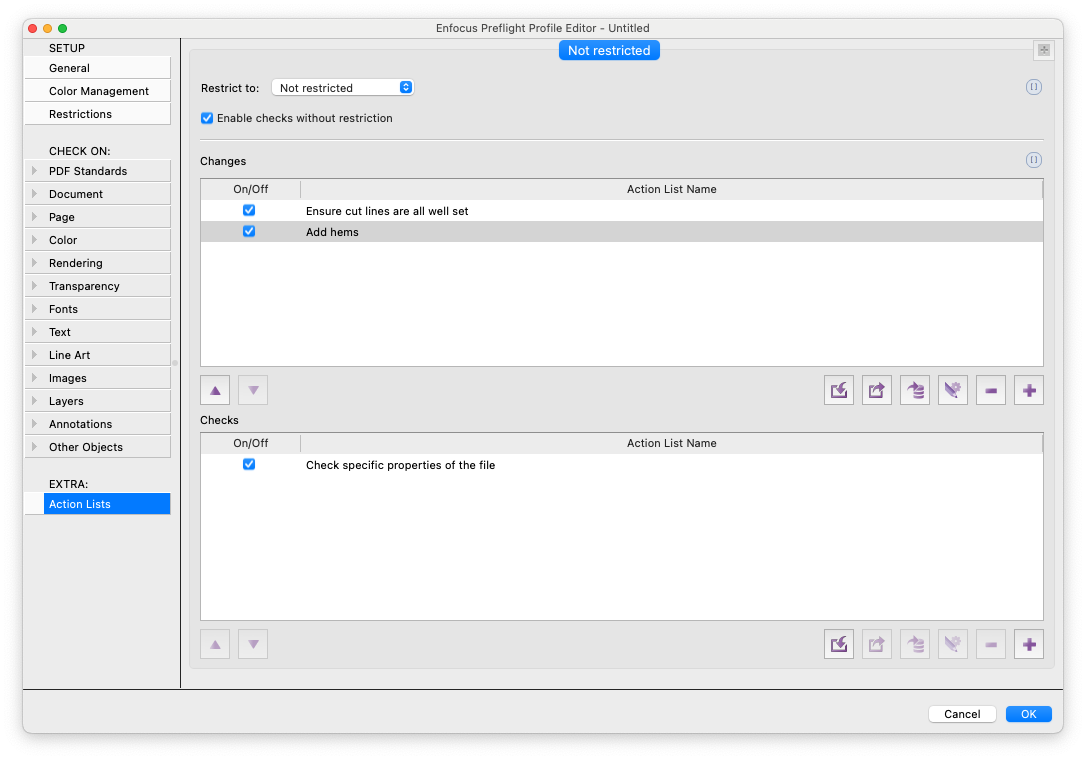
Using the “EXTRA” section in the Preflight Profile Editor, you can:
- Add production-specific rules
- Automate repetitive validation steps
This helps standardize processes and reduce operator dependency
Why Using the Right PDF Tool Matters
While design tools like Adobe Illustrator are excellent for creating artwork, they are not designed as PDF production tools.
Using them for preflight or editing production PDFs can introduce risks:
- Loss of embedded data
- Font substitution issues
- Changes in color spaces
- Incorrect interpretation of PDF structure
PitStop, on the other hand, works directly with the PDF specification, which ensures that files remain accurate and reliable throughout the production process.
Conclusion
Wide and large format production involves many specialized steps: from preparing banners and managing finishing requirements to creating and validating cut paths.
PitStop provides a comprehensive solution to:
- Automate repetitive tasks
- Enforce production standards
- Reduce errors and rework
- Ensure consistent, high-quality output
By combining powerful editing, automation, and preflight capabilities, it helps production teams work more efficiently and confidently, no matter the complexity of the job.