How PitStop Can Help Your Book Printing Production


Book printing remains a craft built on precision
However automated your plant has become, book production still demands close attention to detail. A book brings several production stages together in one finished product: cover, interior pages, binding, finishing, trimming and assembly all have to line up perfectly.
You know the bar is high. Readers rarely notice a well-made book, yet they spot a poorly made one right away. A cracked cover, text too close to the trim edge or a missing page number is all it takes to make a book feel cheap.
That's why quality control matters so much in book manufacturing. PitStop Pro (inside Adobe Acrobat) and PitStop Server (fully automated) help your operators catch and fix issues before files reach production. Your jobs run more predictably, and your results stay consistent.
We judge books by their cover

The saying goes that you shouldn't judge a book by its cover. Readers do it anyway. The cover is their first contact with a book, and it has to grab their attention.
To stand out on the shelf, publishers increasingly ask for premium finishing such as spot varnish, foil stamping, embossing or debossing. These effects lift the final product, and they also add production requirements.
Spot colors need the right definitions. Finishing layers need to be present and correctly prepared. Sometimes your team even has to build the finishing areas from the existing artwork.
With PitStop, you can check that all required finishing elements are present, validate spot colors and remap them where needed. You can even generate production objects with tracing. Run these checks before production starts, and you cut manual work and keep jobs moving smoothly through prepress.
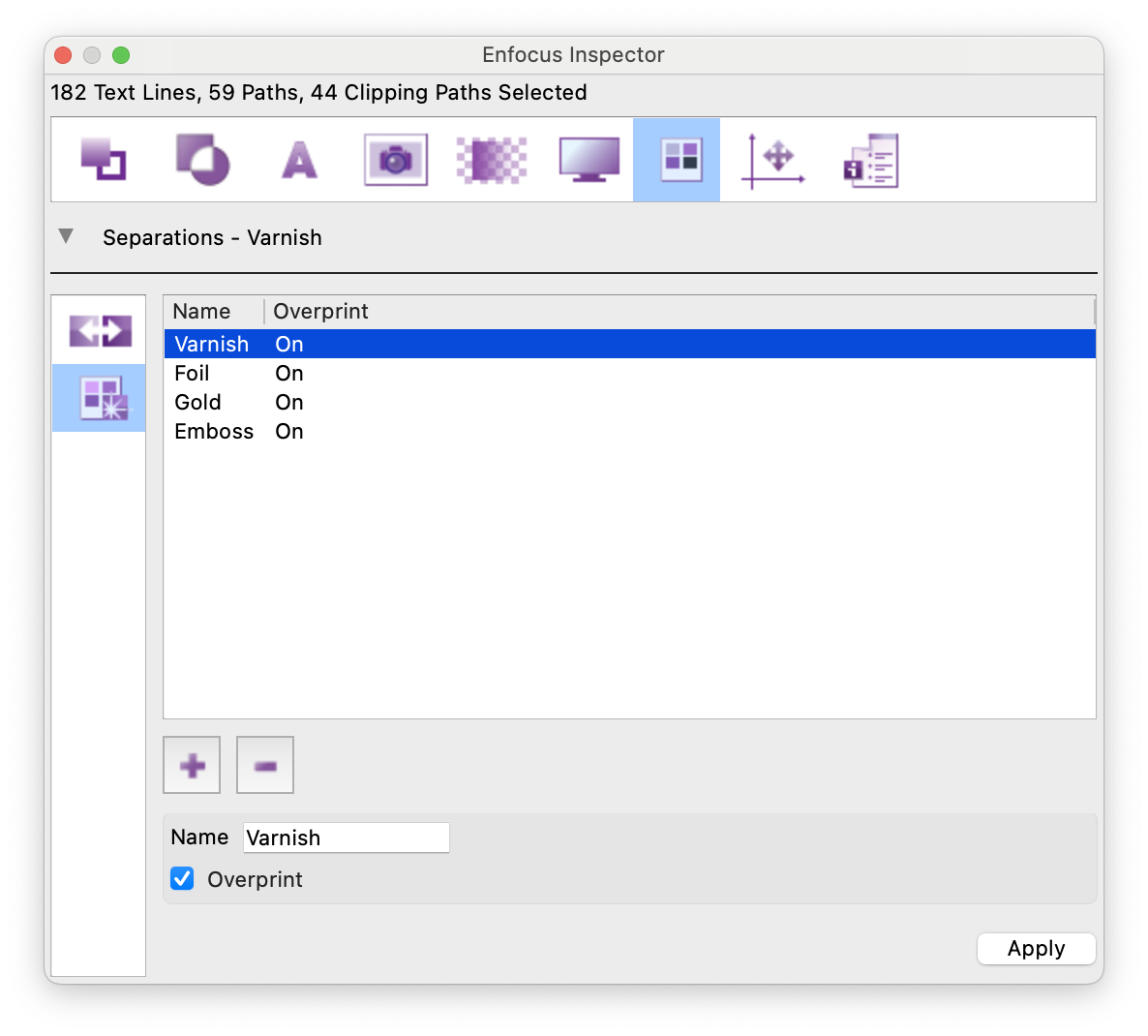
Applying finishing colors to objects in the Inspector.
But a cover doesn't tell the whole story
Looking good is only half the job. A cover also has to match the binding method. A spiral-bound book needs very different cover specs than a perfect-bound or case-bound book. Spine width, trim size and bleed all depend on how the book is built.

Cover width requirements vary with the binding method.
If you print for many publishers in many formats, checking every dimension by hand gets repetitive fast. And a dimension error that surfaces late in production means delays or rework.
PitStop automates these checks with Preflight Profiles. Variables make it even easier: one profile adapts to different book formats and binding specs, so you don't have to maintain several near-identical versions. Read this article to learn more about variables.
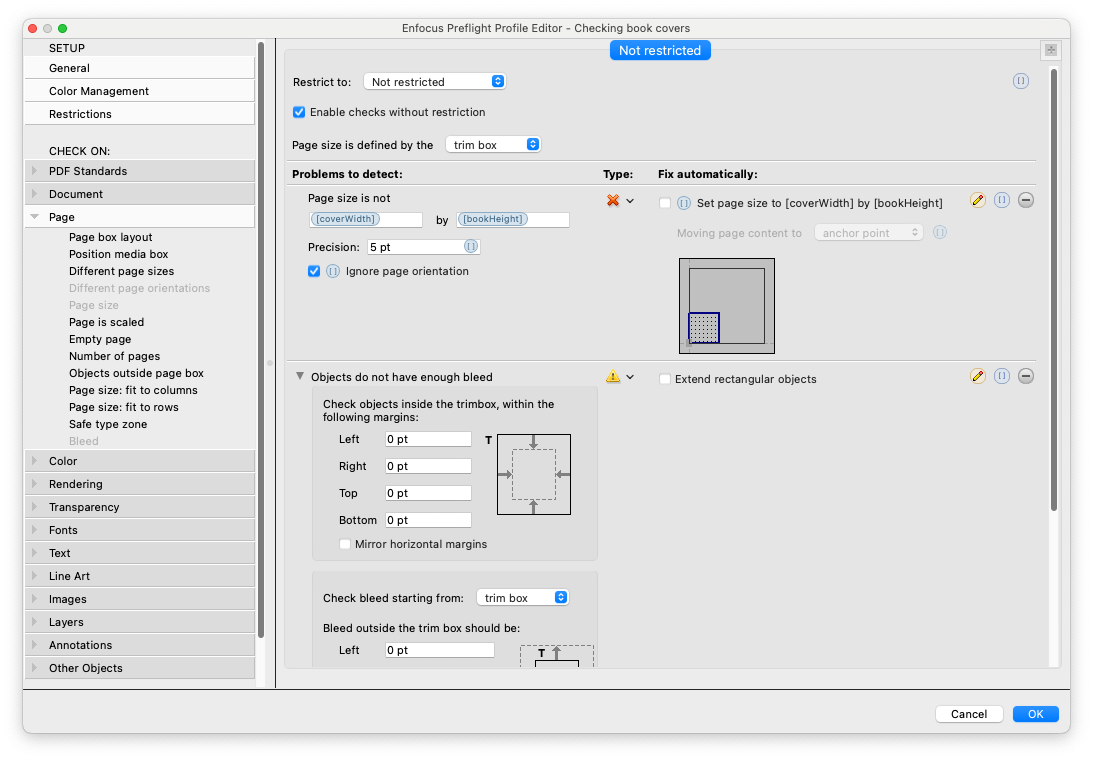
Checking cover width per binding type with a variable.
Covering the basics
Dimensions are only part of the story. Covers face the same file issues you see across the print industry: low-resolution images, missing bleed, wrong color spaces, non-embedded fonts and badly defined spot colors.
Most of these issues are easy to fix when you catch them early. The challenge is catching them every time, before the job reaches production.
PitStop checks incoming files automatically against your quality criteria. It flags potential issues and, where it makes sense, fixes them automatically. Your operators spend less time on manual inspection, and your files meet your production standards.
PitStop can also check safety margins and barcode placement, and add production elements such as trim marks, color bars and fold marks where you need them.
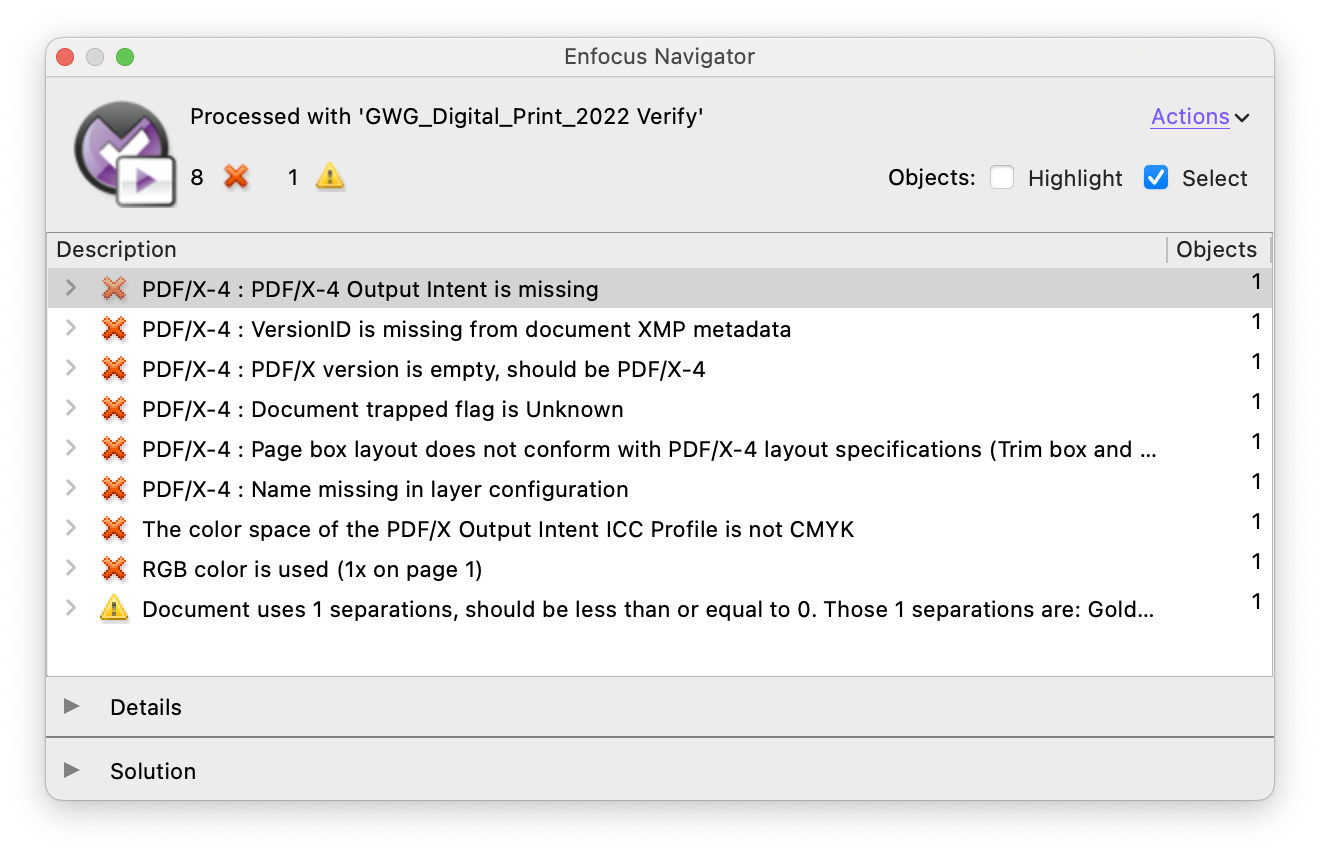
Interior pages: a different challenge
A cover might sell the book, but the content keeps readers turning pages. Interior pages make up most of the file, and they leave the most room for production issues.
Low-quality images, badly reproduced text, missing page numbers or content too close to the trim edge all hurt the reading experience.
And books often run to hundreds of pages. Visual inspection still matters, but checking every detail on every page by hand is rarely realistic.
That's where automated quality control pays off. PitStop applies the same checks to every page, so a 600-page novel gets the same scrutiny as a 16-page booklet.
Making sure the numbers add up
Many book production lines work with signatures, so page count matters.
If a book's page count doesn't fit your production requirements, someone has to step in during imposition or finishing. It sounds minor, but it adds complexity when you don't catch it early.
PitStop checks page counts against your specifications and reports exceptions automatically. You can even set it up to add pages when needed, so files arrive at imposition ready to go.

Checking whether the page count is a multiple of four, and adding pages if needed.
Font problems often stay hidden until it's too late
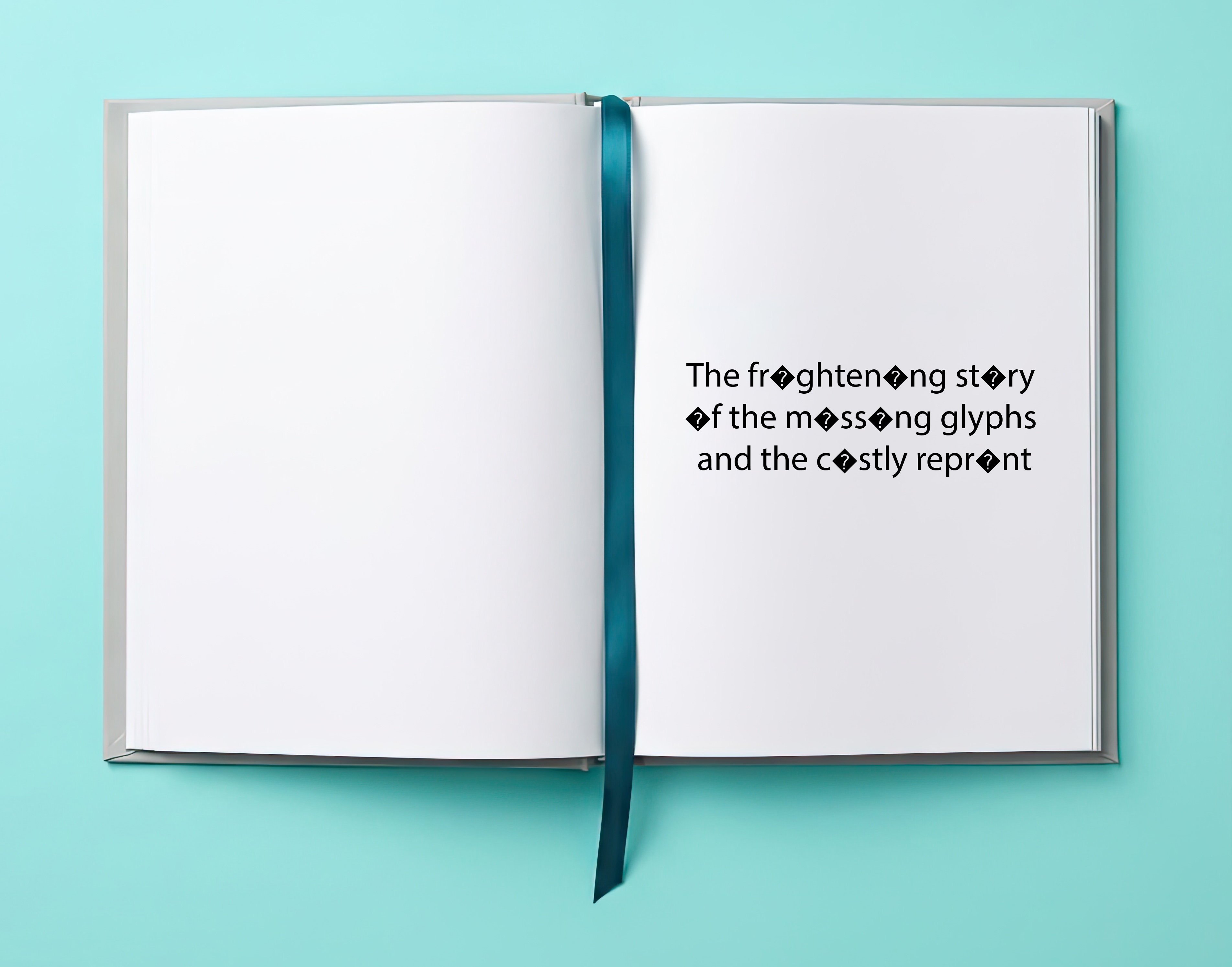
A missing glyph issue.
Of all the issues that can affect a book, font problems are among the hardest to spot by eye.
A book can contain hundreds of pages and hundreds of thousands of characters. A single damaged glyph or missing font might show up only once and still ruin the finished product.
These problems are usually quick to fix. What makes them expensive is finding them late.
PitStop reduces that risk. During preflight, it checks font integrity, detects embedding issues and reports other font-related problems. Where possible, it embeds fonts automatically, so your document stays self-contained and press-ready.
Is the text printing as intended?
Crisp, consistent text is a hallmark of a well-made book. Readers won't consciously notice good text, but they will notice text that looks blurry, uneven or off-color. That's why it pays to check that all text in a publication uses the right color definitions.
Checking a few pages by hand is easy. Checking every page of a long book is another story. PitStop analyzes all the text in a document, flags anything that doesn't meet your production requirements and applies corrections consistently across the whole file. You keep quality high with far less manual effort.
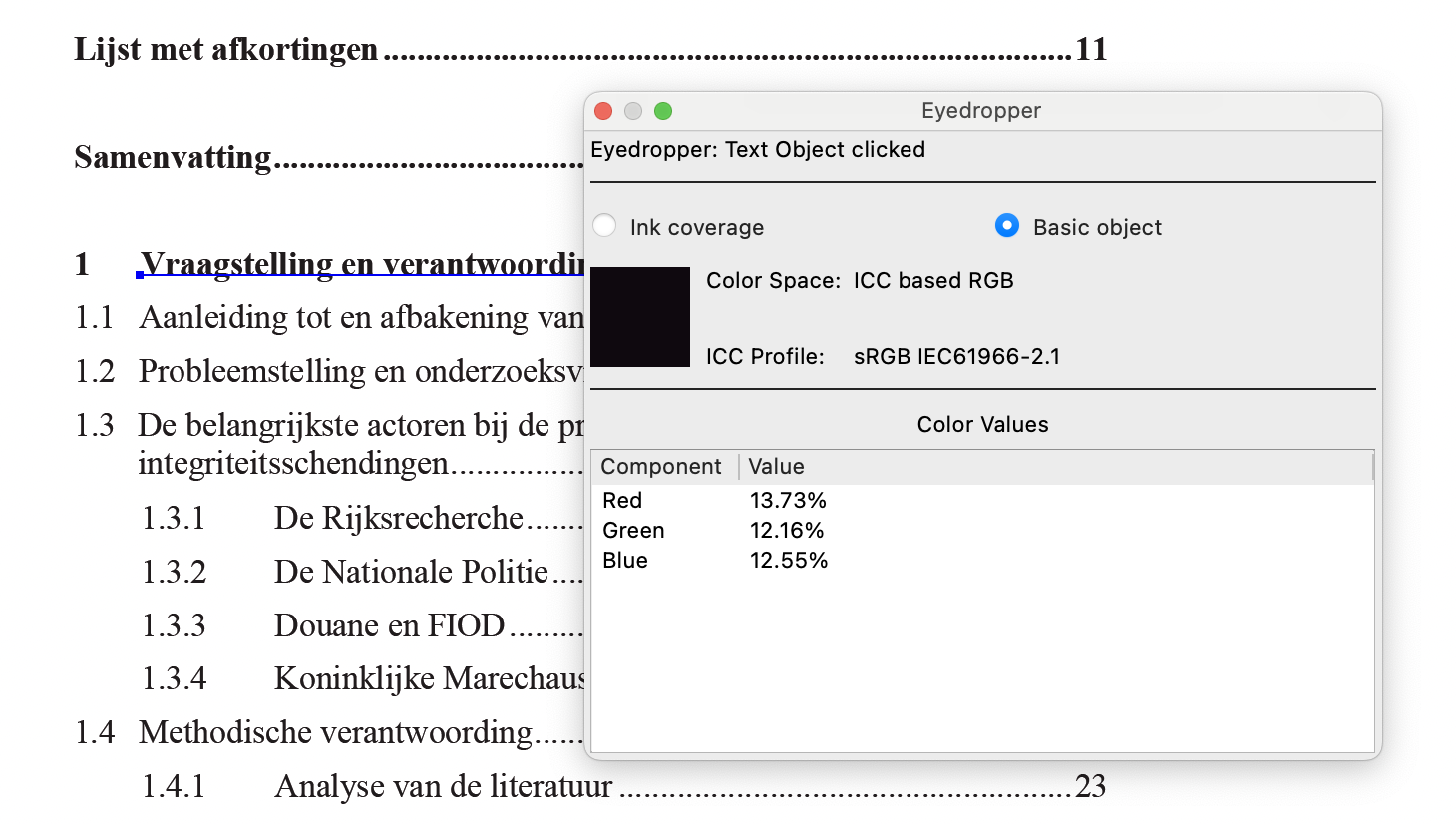
A typical challenge: detecting and fixing RGB black text.
Have all required elements been included?
Before a book goes to press, publishers often need to make sure all the required information is in place.
Think ISBN barcodes, page numbers, copyright statements, publisher information, environmental certifications, legal notices or printer marks. Miss one, and you're facing extra work late in production.
PitStop checks for required graphic elements and text, so your operators spot omissions before they approve files for production. You can also add or update content as part of a standardized process.
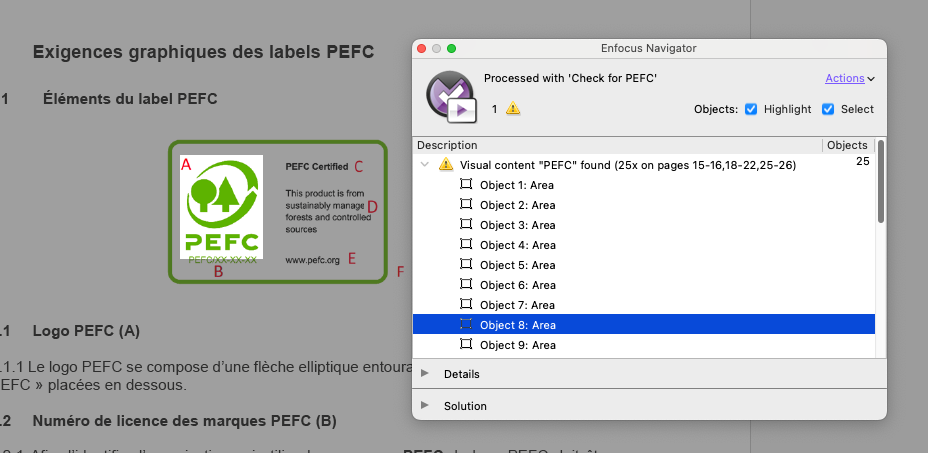
PitStop can check for specific elements such as logos and barcodes.
Consistency beyond a single job
One of the biggest challenges for book printers today is keeping production standards consistent across operators, shifts, titles and sites.
Your goal is to evaluate every book against the same standards, whoever handles it and wherever it's printed.
With Preflight Profiles, Action Lists and variables, you capture your production know-how and apply it to every job. Cloud Resource Syncing takes this a step further. It keeps your production resources in sync across locations, so every site works with the latest standards.
Conclusion
Book production involves much more than printing pages. Cover construction, finishing, binding, typography, page counts, legal information and consistency all shape the quality of the final book.
PitStop helps you stay on top of all of it. It automates quality control, cuts manual review and keeps your standards consistent from job to job. Catch issues earlier and standardize how you prepare files, and you'll spend less time fixing problems and more time producing books that delight publishers and readers alike.
In book printing, quality comes from getting hundreds of small details right, every time. PitStop helps you do exactly that.