What's new in Review
Explore the full list of enhancements, fixes, and improvements in our detailed release notes.
Review 2625
Released June 16, 2026
See release notes
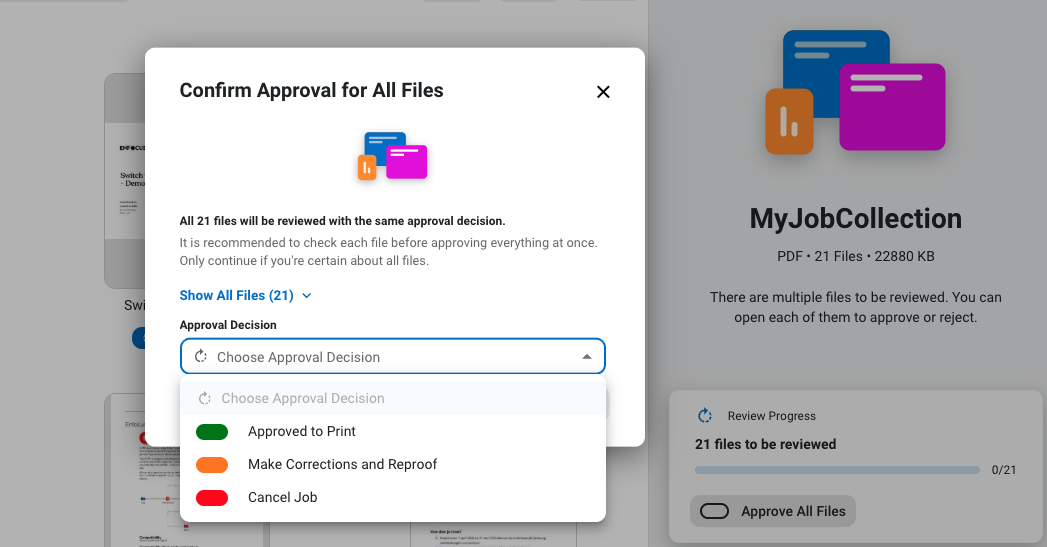
Bulk approval for job collections
You can now approve or reject all files in a collection at once, instead of reviewing them one by one.
Click Approve All Files and select the desired approval decision. Note that this feature must be enabled in version 15 of the Review app.
Review 2607
Released February 10th, 2026
See release notes
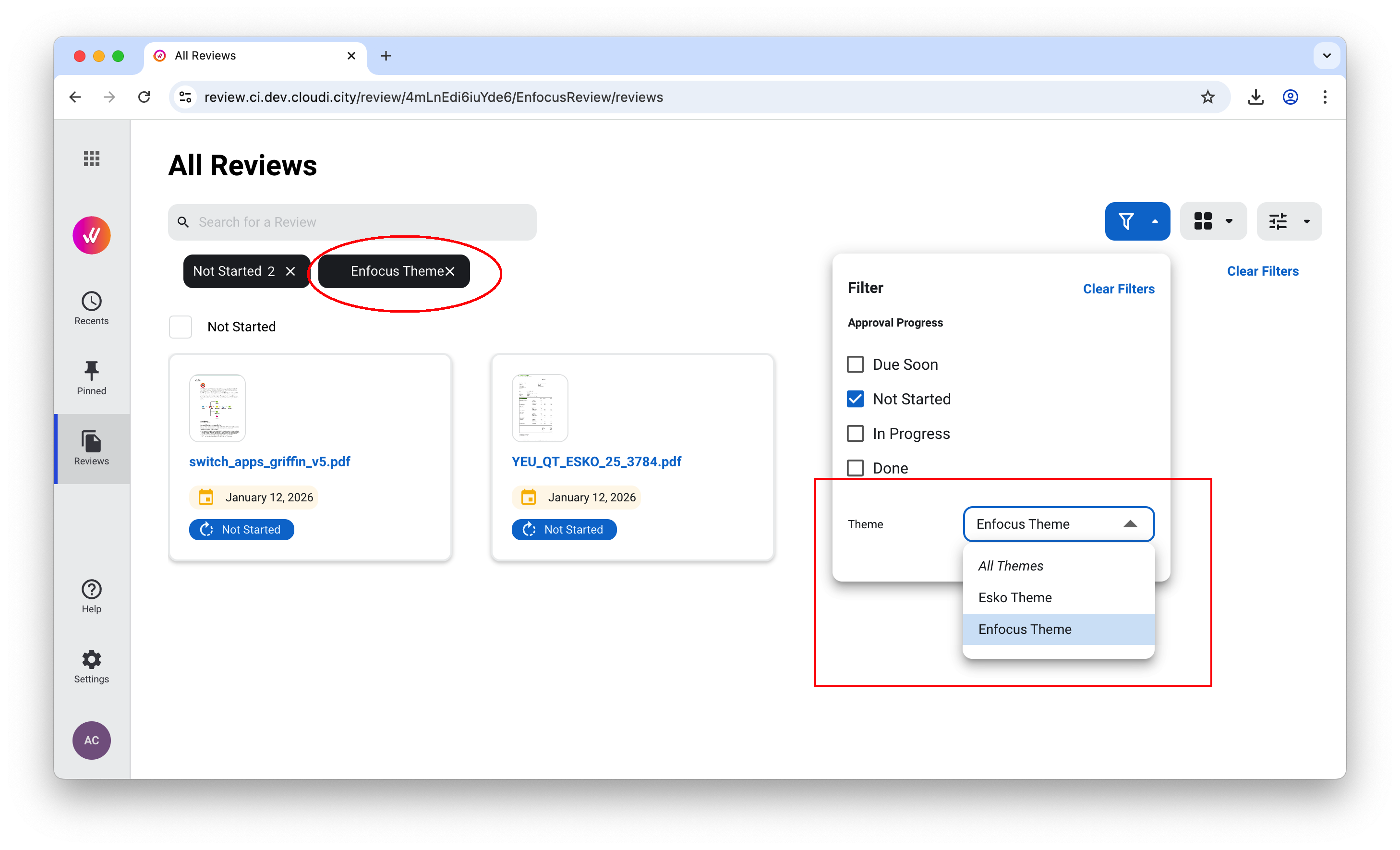
Filter by theme
Administrators can now filter reviews not only by approval progress but also by the theme that was used, thanks to the extra filter option in the Admin Area.
Review 2547
Released November 18th, 2025
See release notes
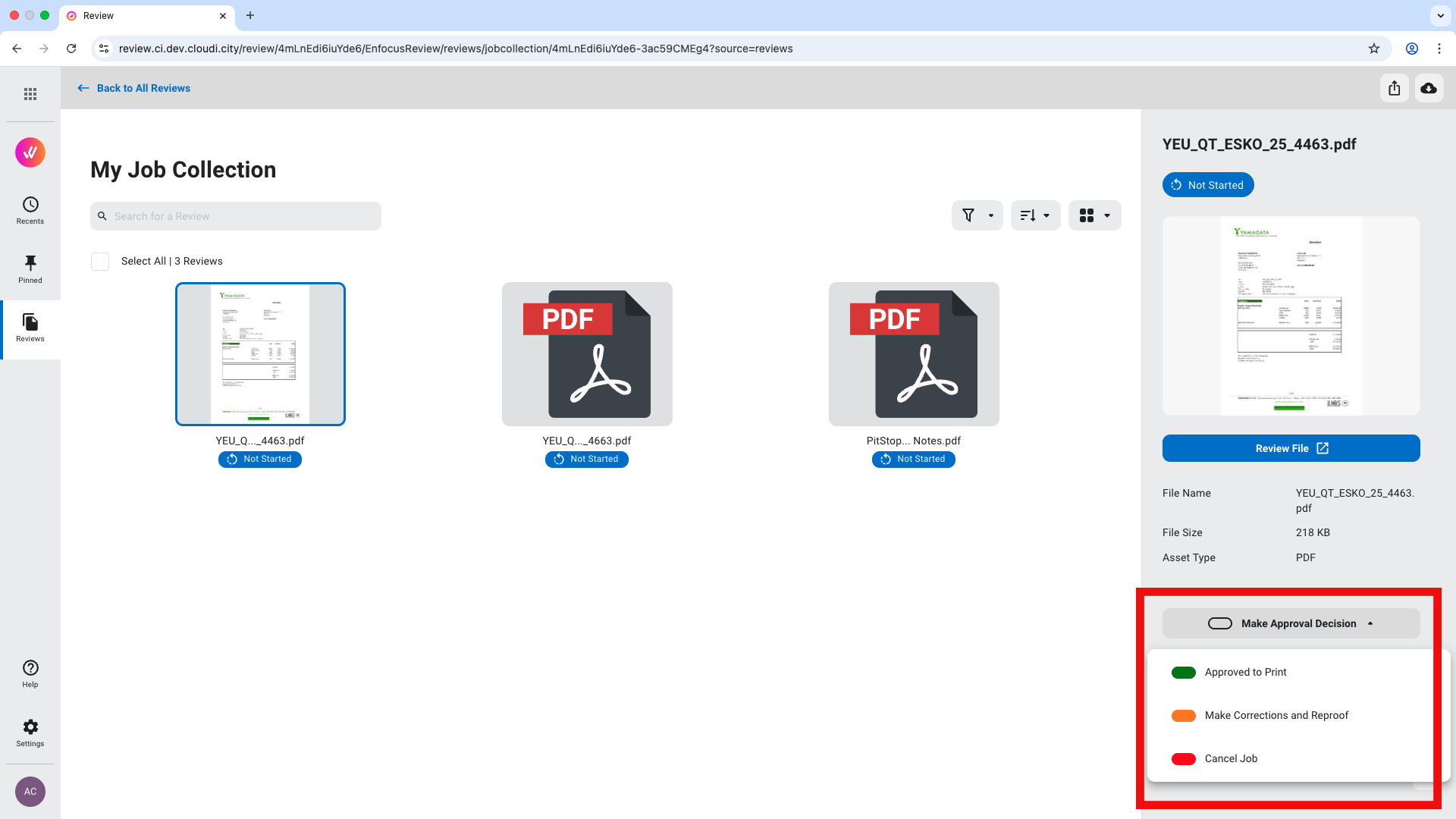
Direct approval from the Admin Area
You can now approve files within a job collection directly from the side info panel, without having to open each file in the Viewer.
Extra download options
In the Admin Area, you can now download an entire job collection in one single action.
In the Viewer, you can now download a version of the PDF that includes annotations.
Review 2541
Released October 7th, 2025
See release notes
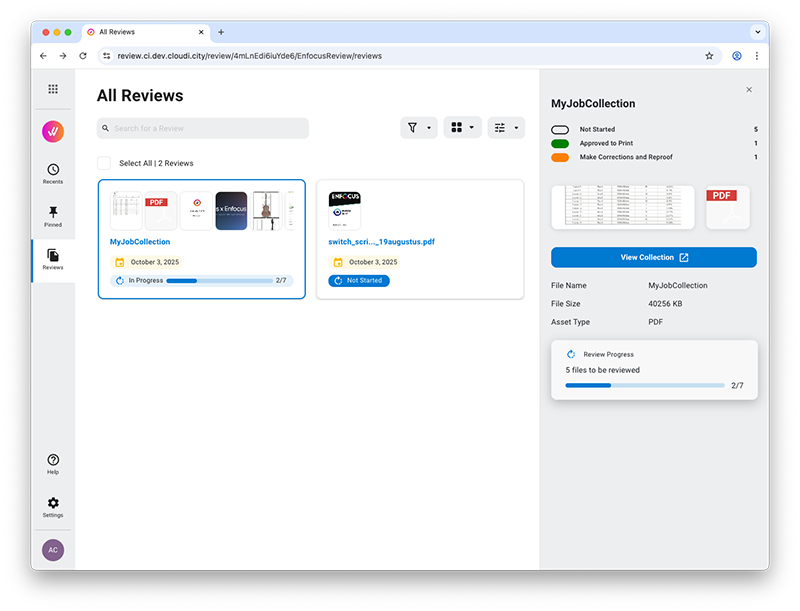
New side panel
A new side panel in the Admin Area provides a nice overview of your jobs. In case of a job collection, you can now see at a glance how many files have been reviewed already.
Transaction History
The new Transaction History section in the Admin Area shows how many transactions were used on a daily, weekly or monthly base during a given period of time.
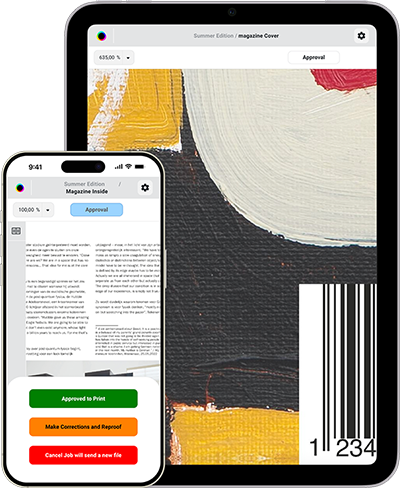
Advanced Viewer available on mobile
Released July 15, 2025 (Cloud release 2529)
See release notes
You can now view and approve proofs directly from your phone or tablet, making it easier than ever, no matter where you are!
Review App v14
Released May 22nd, 2025
See release notes
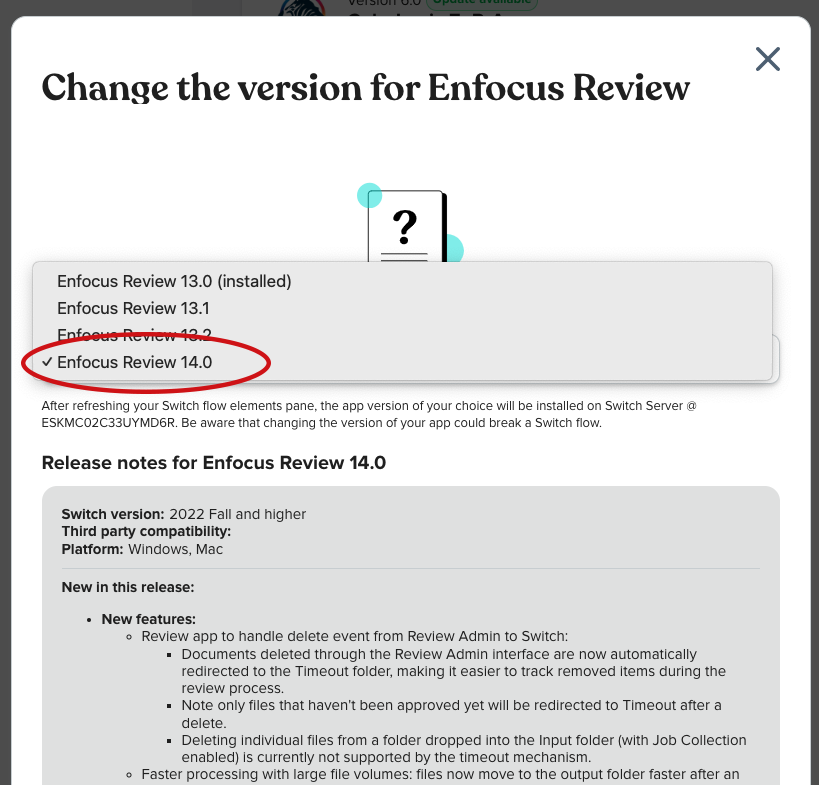
Improvements and bug fixes
In version 14 of the Review App, the (not yet reviewed) files that are deleted through the Admin Area, are redirected automatically to the Timeout folder. This way, it's easy to keep track of files that were removed during the review process.
Moreover, the new version enables faster processing of large file volumes; files now move to the output folders faster after an approval decision was made.
Review 2505
Released January 27th, 2024
See release notes
Improved delete options
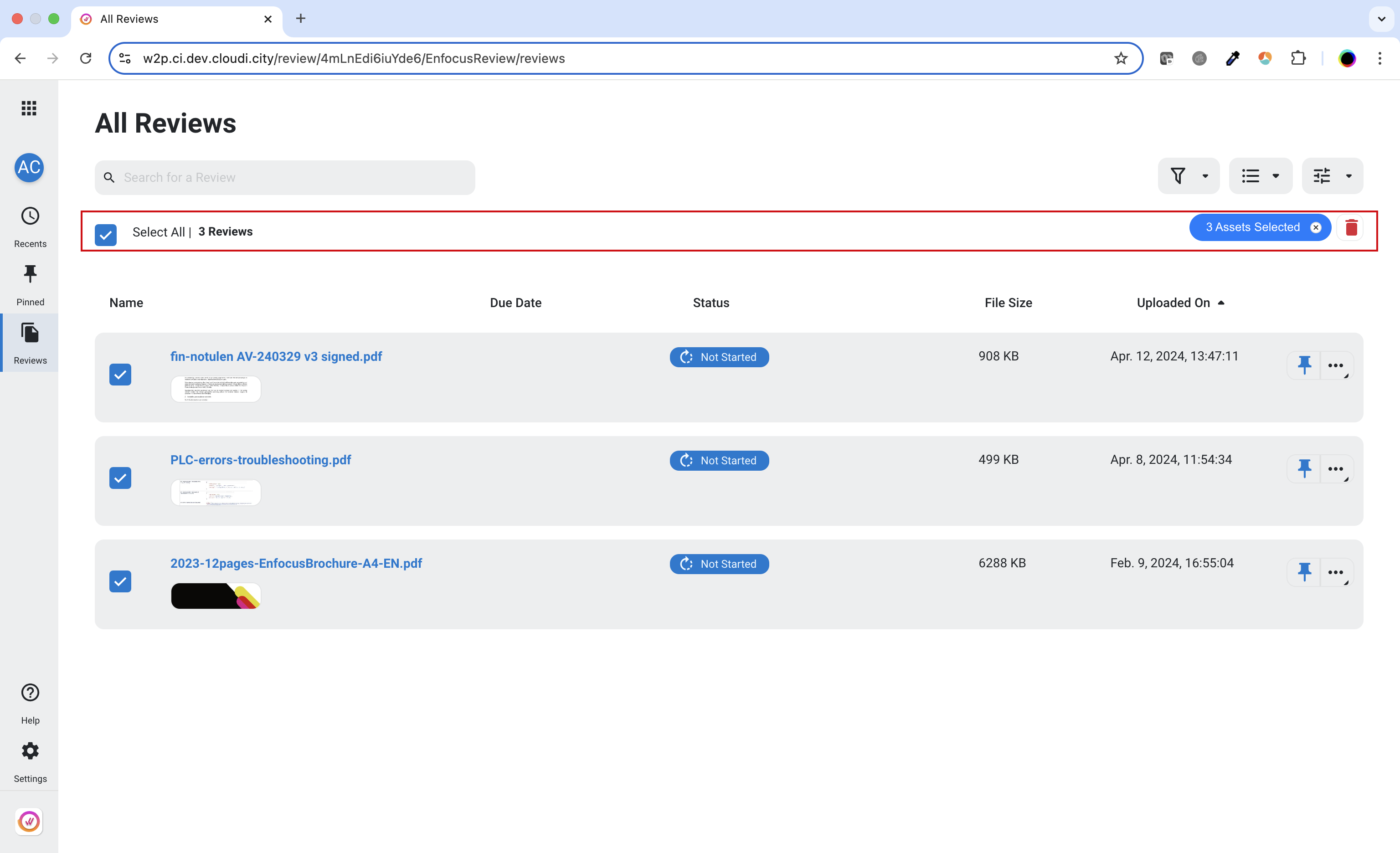
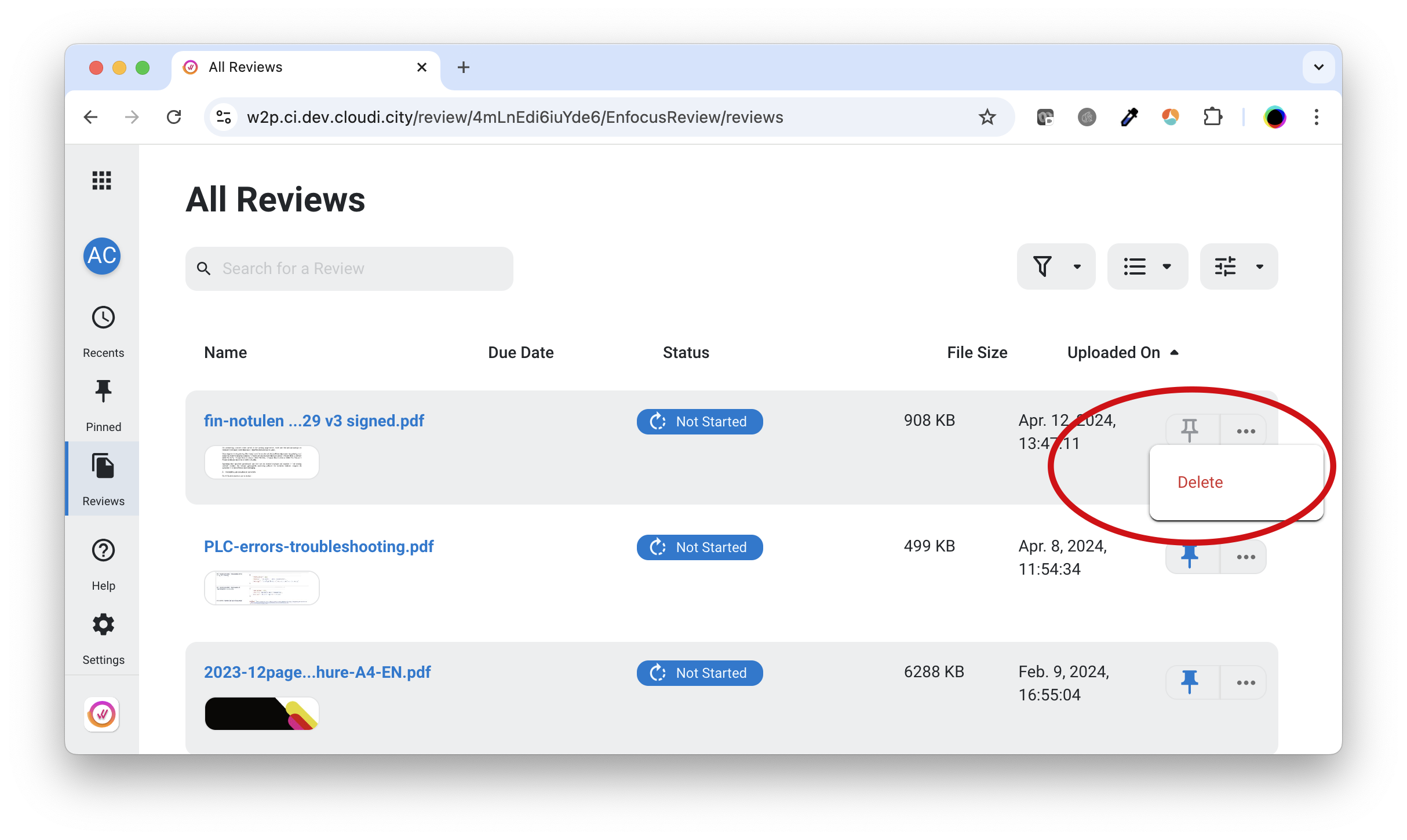
Administrators can now easily select multiple reviews and delete them in one go from the admin area. This is possible for both single files and files in job collections in List and Grid view.
Review 2451
Released December 17th, 2024
See release notes
Deleting reviews
From now on, administrators can delete reviews from the admin area. This is possible for single files and job collections in List view.
Review 2445
Released November 5th, 2024
See release notes
Enfocus Review REST API
This version introduces the REST API that can be used by customers who want to integrate Review in their own workflows, MIS or web2print platform. This is a paying feature for power users that want a custom integration.

Review 2439
Released September 24th, 2024
See release notes
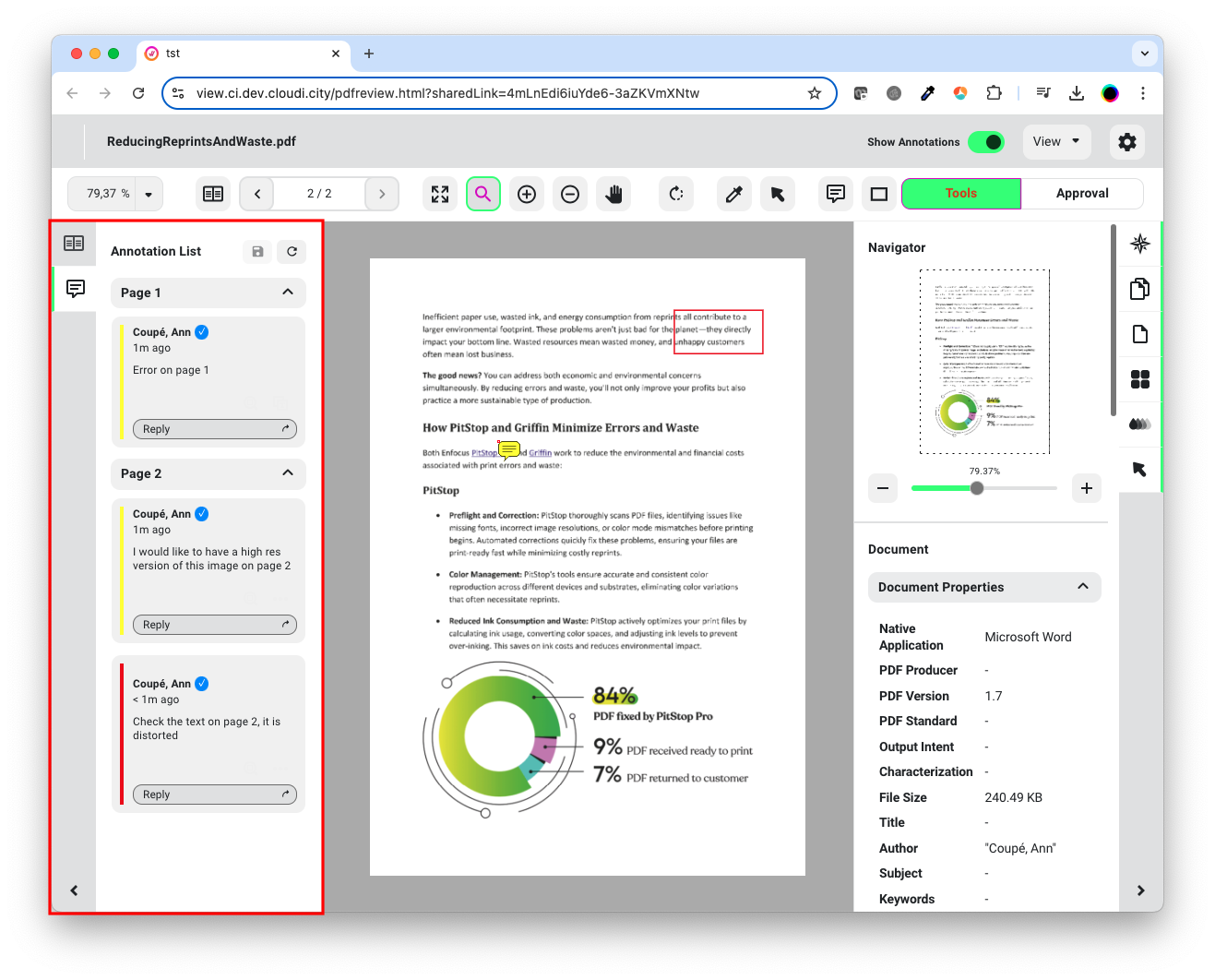
Improved Annotation List
For a better overview, the Annotation List in the Viewer displays all annotations of the whole document, not only the annotations of the current page as it was before.
Review 2433
Released August 13th, 2024
See release notes
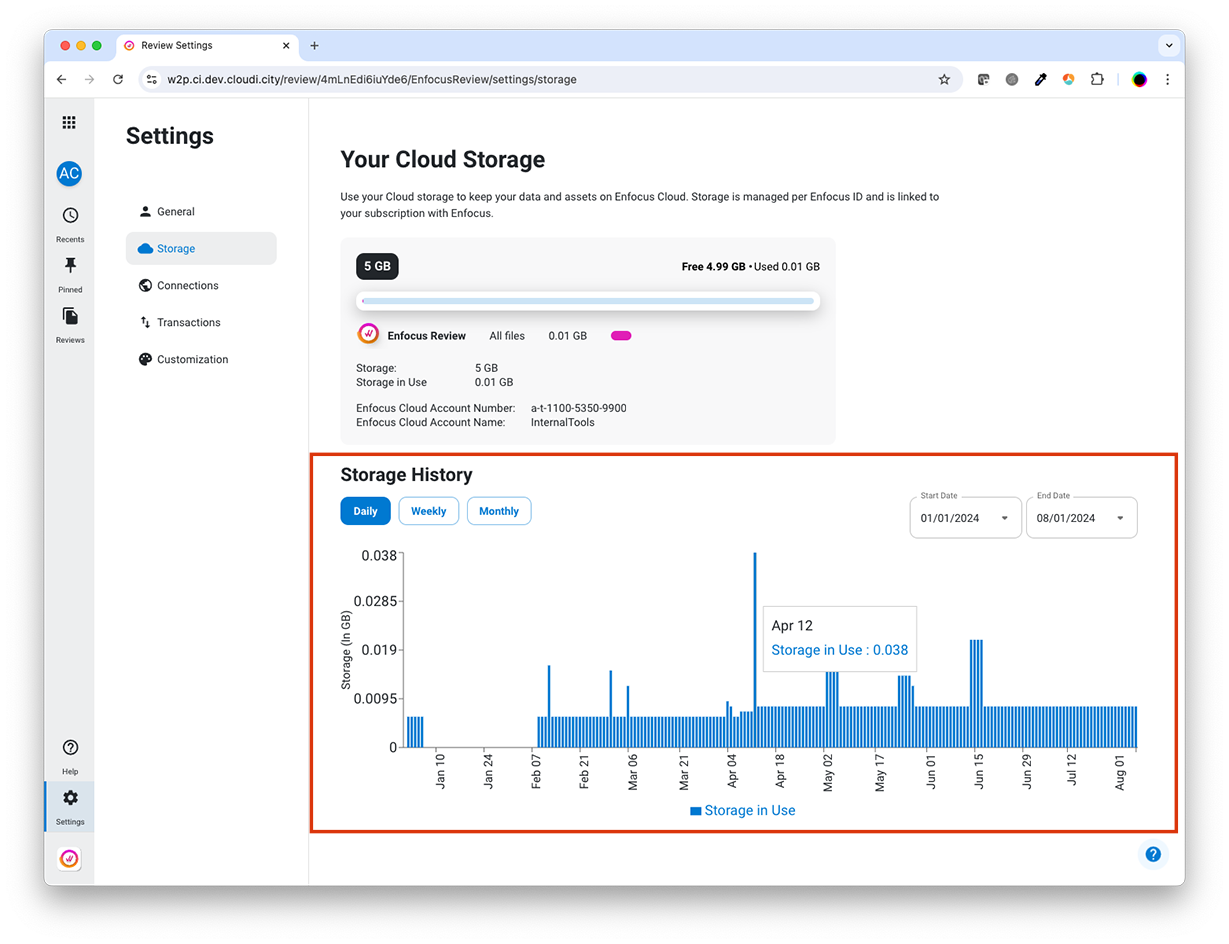
Storage history
From now on, you can see how much virtual space (in GB) in the Enfocus Cloud you have used on a daily, weekly or monthly base
during a given period of time (for example, the last 3 months).
Note that space is freed up when a document (after the review has been finished) is removed from the Enfocus Cloud.
Review 2427
Released July 2, 2024
See release notes
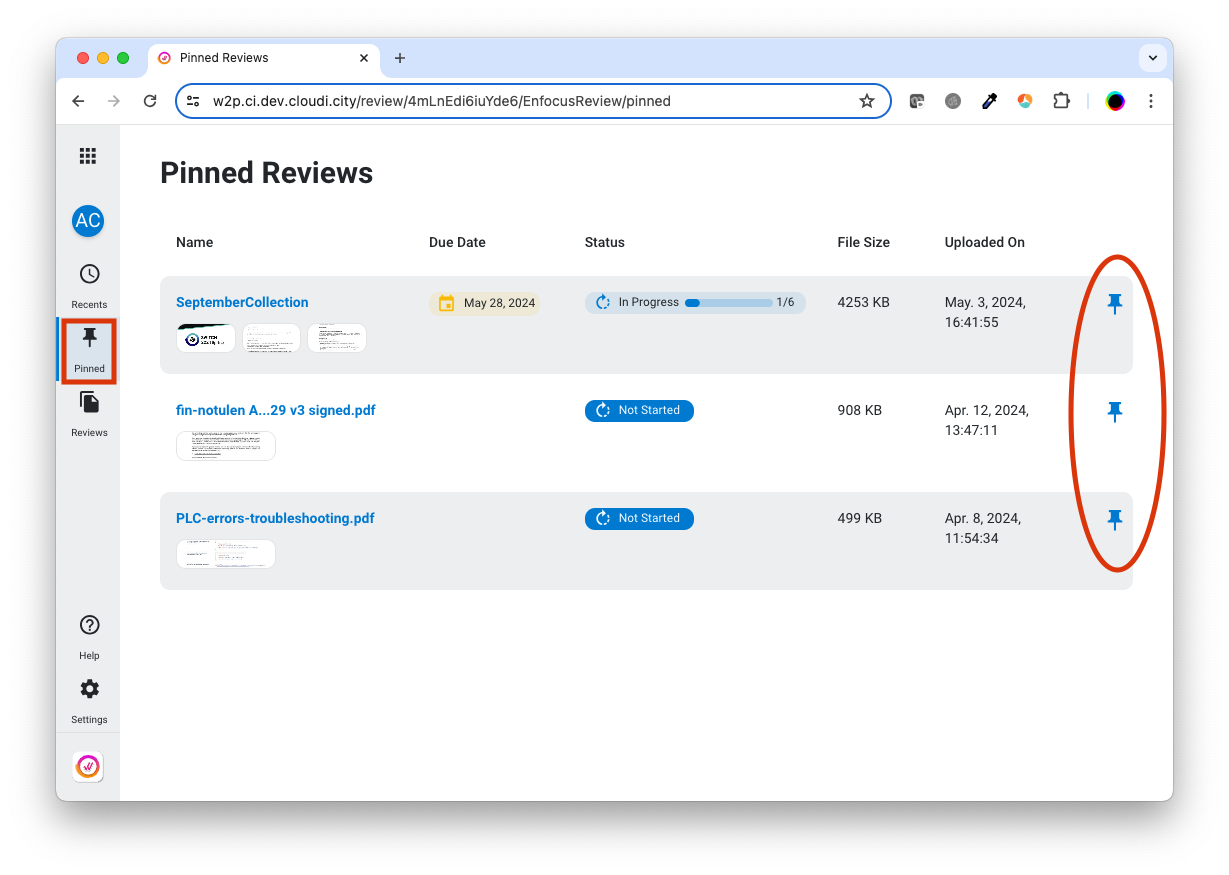
Pinned and recent reviews
It's now possible to pin the reviews you want to the be able to access quickly. Pinned reviews, and also recent Reviews are available in separate views.
Filtering and searching in job collections
You can now filter the files inside a job collection for example by the chosen approval option. There's also a search field for quick access to your files.
Review 2421
Released May 21, 2024
See release notes
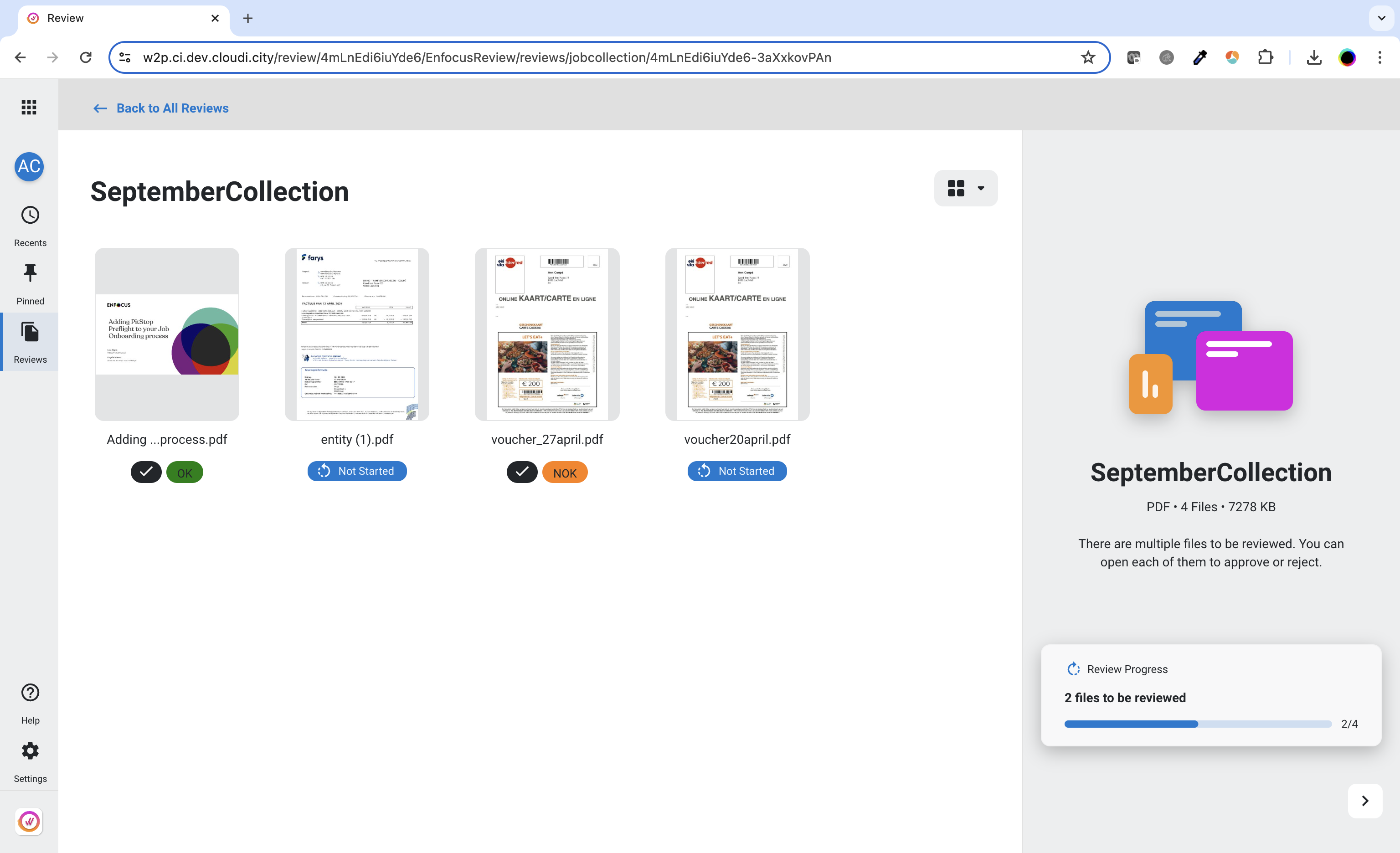
Detailed approval decisions
The chosen approval options are now shown in the job collection overview for every job that has been reviewed. The text and the color come from the buttons displayed in the Viewer.
Several improvements
Some issues with translations, page boxes and blank pages in spread view were fixed.
Review 2415
Released April 9, 2024
See release notes
Custom colors
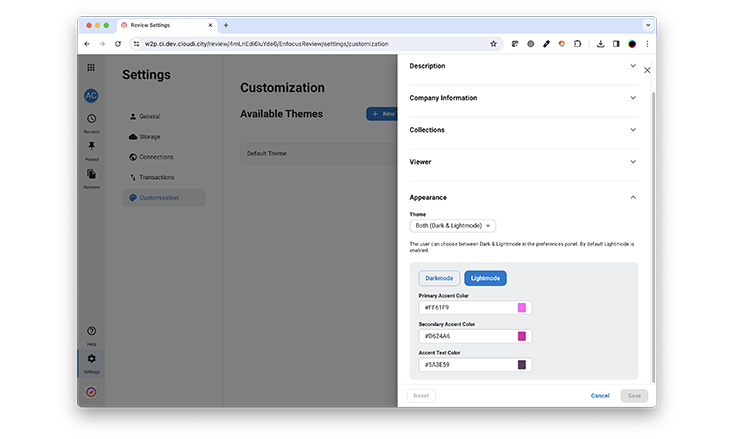
You can now fully customize the look and feel of the Viewer and the job collection environment. In previous versions we added the option to create themes with your own logo, company details and post-approval preferences. From this version onwards, you can also choose your own color scheme.
Annotation author
Reviewers accessing the Viewer through an anonymous shared linkcan now add their name when creating an annotation.
Performance tuning
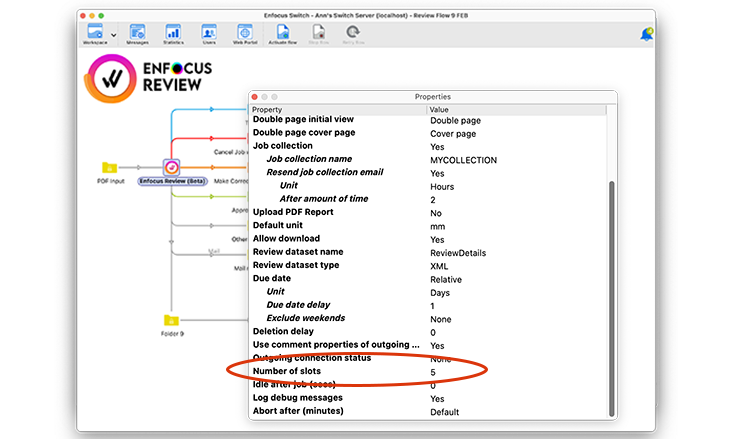
For a smoother performance, you can now determine the maximum number of tasks the Review app can handle simultaneously.
Review 2409
Released February 27, 2024
See release notes
Additional languages
The viewer is now also available in Norwegian, Danish, Swedish, Estonian, Latvian, Lithuanian and Finnish.
Enhancements in the admin interface
You can now organize your reviews, either by arrival date or alphabetically.
Additionally, you can visualize the categories and toggle the visibility of thumbnails, resulting in a more compact view.
It's now also possible to filter reviews based on their status (not started, due soon, in progress, completed.)
New variable in the post-approval URL
You can display a dedicated post-approval page based on the Job ID of the jobs you're processing.
Looking for all Review updates?
Check out the Review release notes.